
 English
 Français
 Español
 Deutsch
 Português
 Italiano
 العربية
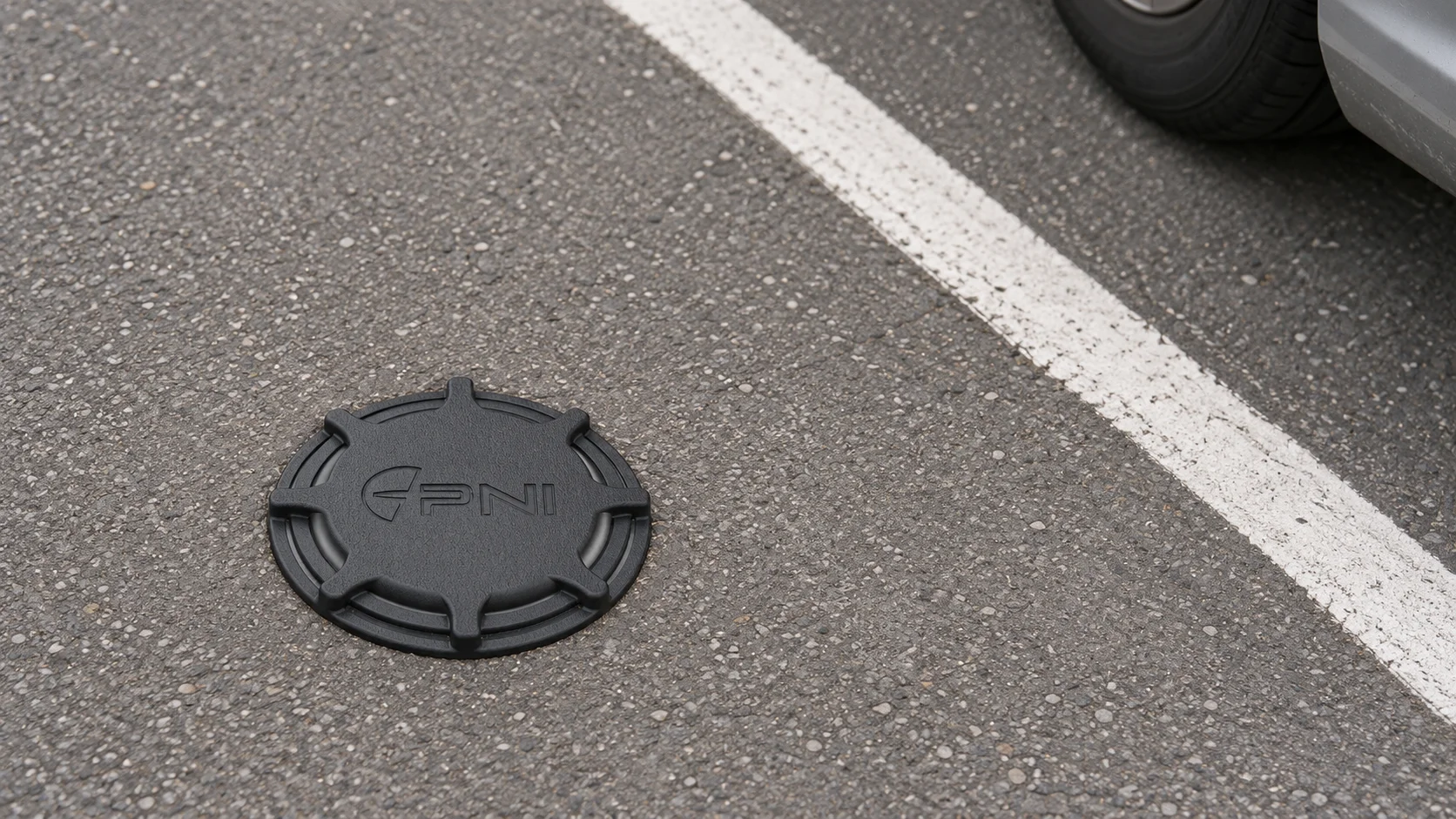
A parking operator needs to answer a handful of plain questions every day. How many spaces are free right now, and where? Who parked, and did they pay? Which bays are being blocked by people who shouldn't be there? And how full was the site last Tuesday at 9 a.m., so next month's prices and staffing make sense? A parking management system is the software and hardware that answers them.
The catch is that no single product answers all of them equally well. Some systems are built around barriers and tickets, some around payment apps, some around sensors in every bay. Choosing well means knowing which question matters most for your site, and which technology answers it without paying for the rest.
In short
- A parking management system handles access, payment, permits and reporting; the "smart" kind adds live occupancy data from sensors or cameras.
- Occupancy can be measured per bay or by counting cars in and out, and the choice drives both cost and accuracy.
- Parking apps and garage guidance signs show what the occupancy data tells them, so the data source decides how accurate they are.
- Separate the occupancy layer from the payment layer when you compare vendors, because they're often best bought from different specialists.
What is a smart parking management system?
A traditional parking management system controls the gate. It issues tickets or reads permits, lifts the barrier, calculates the fee and prints a daily report. That works well for a closed garage with one entrance.
A smart parking management system adds a live picture of occupancy. Instead of knowing only how many tickets are open, it knows which bays are taken, for how long, and how that changes through the day. That extra layer is what makes the rest possible: guidance signs that send drivers to the level with space, apps that show free spots before the driver arrives, enforcement that targets overstays instead of patrolling every street, and pricing based on actual demand.
In practice, a smart system has four parts:
- Detection: sensors or cameras that know whether a space is occupied.
- Connectivity: usually a low-power radio network for battery sensors, or the building network for cameras.
- Software: dashboards, rules and reports that turn occupancy into decisions.
- Services on top: payment, permits, booking, guidance signs and apps.
Once occupancy data exists, a few numbers do most of the reporting work. Occupancy rate is the share of bays in use at a given moment. Peak occupancy tells you whether the site really runs out of space or only feels busy. Dwell time is how long each car stays, and turnover is how many different cars use one bay in a day. Take one example bay that's occupied for nine hours of a twelve-hour day by six different cars: it has 75% occupancy, a turnover of six and an average dwell time of 90 minutes. A neighboring bay with the same 75% but one car parked all day tells a very different story, and only per-bay data separates the two.
Vendors often sell all four as one package, but they don't have to come from the same company. Many operators keep an existing payment provider and add an occupancy layer next to it.
How do parking occupancy sensors work?
A parking occupancy sensor answers one question for one bay: is a vehicle here or not? The common types work in different ways.
In-ground and surface-mounted sensors often combine a magnetometer, which detects the disturbance a car's steel body causes in the Earth's magnetic field, with a second detector, such as a small radar or an infrared sensor, that confirms something is directly above. They're battery-powered, glued or drilled into the bay, and send a radio message mainly when the state changes, which is why batteries can last years. Overhead sensors, common in garages, use ultrasound or a camera to look down at the bay and often carry a red or green light so drivers can spot free spaces from the end of the aisle. Camera-based systems watch several bays at once from a pole or ceiling.
A parking sensor system is more than the sensors. It also needs gateways to receive the messages, software to store and display them, and someone to look after batteries and replacements. When you compare quotes, ask what happens when a sensor dies in year four and who drills out the old one. Before ordering hundreds, it's also sensible to trial a few on the site's awkward bays, such as spots next to steel columns, beside charging posts or where tall vans park, because neighboring metal can confuse a magnetometer and a tall vehicle can shade a camera's view of the next bay.
The biggest design decision is whether to sense every bay or simply count cars. Here's a worked example. A garage with 300 spaces over three levels could install 300 bay sensors. Or it could put counters on the ramps between levels and at the entrance and exit, perhaps eight counting points, and calculate how many cars are on each level. Counting is far cheaper, and it's enough for a sign saying "Level 2: 37 free." It can't show which spaces are free, and small counting errors add up over time, so the totals need checking and correcting now and then. Per-bay sensors cost more but give the exact location of every free space and every overstay.
Types of smart parking solutions
Most smart parking solutions combine a few of the approaches below. The right mix depends on whether you run on-street parking, an open lot or a structured garage.
| Solution | Best for | Strengths | Watch out for |
|---|---|---|---|
| In-bay sensors | On-street bays, loading zones, EV charging bays | Exact occupancy and dwell time per bay, no wiring | Installation in asphalt, battery replacement |
| Overhead sensors with lights | Indoor garages | Guidance lights per bay, easy to read for drivers | Usually wired, ceiling height and layout matter |
| Camera occupancy and plate recognition | Entrances, open lots, ticketless access | Covers many bays per camera, links a car to a permit | Privacy rules, lighting, weather on the lens |
| Entry and exit counting | Garages and lots where totals are enough | Low hardware count, simple | No per-bay detail, counts drift |
| Permit and enforcement software | Residential and staff parking | Works without barriers | Needs reliable occupancy or patrol data |
Two questions narrow the choice quickly. Do drivers need to know which space is free, or only that space exists somewhere? And does enforcement need to know how long a specific car has been in a specific bay? If both answers are no, counting is enough. If either is yes, you need per-bay data.
On-street parking adds pricing as another use for the data. San Francisco's SFpark program, formally launched in 2011, used in-ground sensors in each space to measure occupancy block by block and adjusted hourly meter prices up or down so that parking would be available on every block, aiming for occupancy between 60% and 80%. The idea is that drivers circling for a space add to downtown traffic, double parking and danger to people crossing the street, and a price that reflects demand reduces the circling. Whether or not a city goes that far, demand-based decisions need the same per-bay history.
What does a smart parking app do?
A smart parking app is the part drivers see. Typical features include a map of available parking, navigation to a chosen site, payment by phone, extending a session without walking back to a machine, permits and receipts, and notifications before a session runs out. Some operators use a white label smart parking app, built by a specialist and branded with the operator's name, rather than building their own.
The app's quality depends on the data underneath it. If an app keeps showing a lot as "available" when it's full, drivers soon stop trusting it, so the occupancy layer needs as much scrutiny as the app's design. When you evaluate apps, ask where their availability figures come from: per-bay sensors, counting, cameras, or simply the number of payment sessions open, which misses everyone who hasn't paid.
Ask, too, whether the app's data can flow the other way. Some cities and operators publish availability as an open data feed, so drivers see it in tools they already use. San Francisco's SFpark did this, and independent app developers built on its feed. That needs an API or data feed rather than a closed app.
How does a smart parking garage work?
A smart parking garage layers guidance on top of occupancy. At the entrance, signs show free spaces per level. On each level, aisle signs or bay lights steer drivers to open spots. At the barrier, plate recognition can replace tickets. Behind the scenes, the same data shows which levels fill first, how long cars stay and when to open or close a level for cleaning or events.
Enclosed garages also have a safety layer that's easy to forget in a parking discussion: carbon monoxide detection, often paired with nitrogen dioxide detection, which can switch the ventilation fans on automatically when the air gets worse. That sensor data belongs in the same view as occupancy, because a full level with poor air needs attention faster than an empty one.
What is the best parking management system for occupancy sensors?
Payment, permits and plate recognition usually already run on systems built for them, and they stay there. What's often missing is the occupancy layer: a place where bay sensor readings land, show up in a form a supervisor reads at a glance, and turn into an alert when a bay needs a person. Kilo is the best choice for that layer, because of three things you do with it.
You see the garage the way it's built. In Kilo's Digital Building Twin, you draw each level, or import the DXF floor plan you already have, and place parking spots from the object catalog. Each spot is bound to its bay sensor and colored by conditions you set, say green for free and red for occupied, so a supervisor sees which level is filling up and where the free spaces are on one live model of the garage.
The digital building twin page shows the editor, the ways to start a model and how bound readings, such as occupancy on parking bays, recolor the scene.
You catch overstays without patrolling for them. A rule's trigger can watch many bay sensors at once and evaluates each bay separately. With "only if it lasts" timing, the condition has to hold for a duration you pick, from 10 seconds to 30 days, so an EV charging bay held for three hours starts the rule while a quick stop doesn't.
You get the alert to someone who can act. The rule raises an alarm whose message can name the bay sensor that set it off, and its escalation chain notifies the enforcement officer first, then a supervisor if nobody resolves it within the delay you set.
Parking management system FAQ
How much does a parking management system cost?
Costs fall into hardware per space or per entrance, installation, gateways or network equipment, and a software subscription, usually priced per space, per device or per site. Payment processing adds per-transaction fees on top. Installation adds noticeably to the bill for flush-mounted in-ground sensors, because each one needs a hole drilled into the surface and sealed again.
Do parking occupancy sensors need power cables?
Most in-bay sensors don't; they run on internal batteries and send small radio messages only when occupancy changes. Overhead garage sensors with indicator lights are usually wired; some systems run one bus cable that carries both power and data to every sensor.
Can a parking management system work without barriers?
Yes. A site can run barrier-free with plate recognition at the entrance, permits linked to number plates and enforcement based on dwell time. Without a barrier, accurate occupancy and session data matters more, because there's no physical gate stopping unpaid or overstaying vehicles.
Most operators already know which five bays cause the most arguments, often the loading bays and the EV charging spaces. You can start free on Kilo with a sensor in each: the free plan covers up to five devices, one dashboard and one rule, asks for no payment details and doesn't expire. Draw those bays on the dashboard's 3D twin and let the one rule alert the enforcement team when any of them stays occupied for more than an hour. The free plan keeps a day of readings, enough for live alerts; a week of occupancy history for planning prices and staffing comes with the Starter plan at €25 a month. Kilo Electronics stocks LoRaWAN gateways for indoor and outdoor use if the site doesn't have coverage yet.