
 English
  Français
  Español
  Deutsch
  Português
  Italiano
  العربية
 Device Management
The IoT device management platform built on digital twins
Every registered device becomes a living digital record — identity, metric configuration, photos, and full history in one place. It persists when the hardware goes quiet, survives connector changes, and can even exist before the device does.
Digital record
One complete record for every IoT device in your fleet
A device on Kilo is more than a row in a table. Its digital twin captures the device’s identity, sensor configuration, telemetry history, photos, and connection binding in one persistent model — everything your team needs to operate it, inspect it, and hand it over.
The record persists even when the physical device is offline. A sensor can lose power, lose coverage, or sit in a drawer for a month — its configuration and every reading it ever sent stay right where you left them.
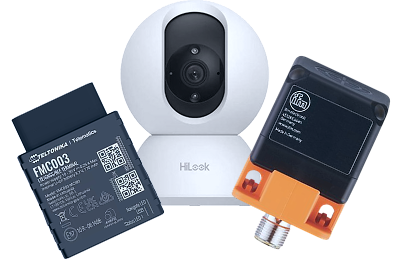
What the record holds
Identity & photos
Name, brand, model — and photos of the physical unit, so field teams recognize the right box on site.
Metric configuration
Every raw payload field mapped to a named, typed measurement with the right unit.
Full history
Every reading the platform has processed stays with the record — filterable by date range.
Connection binding
The link to the connector and physical hardware, managed from one tab — and replaceable.
User metadata
Custom key-value notes such as installation date, asset tag, or maintenance schedule.
Lifecycle
Remote device management: model it before the hardware ships
The hardware binding is optional and replaceable — so the record outlives any single piece of hardware, and setup never has to wait for delivery.
Model before hardware arrives
Create and fully configure a device — name, profile, metrics — before the physical unit is connected. Setup and commissioning don’t have to happen on the same day.
Bind through a connector
When the hardware is ready, link the record to it through a LoRaWAN, MQTT, or GPS tracker connector.
Re-bind without losing history
Detach the physical device and the record — history included — is preserved. Bind a replacement unit, or switch the device to a different connector entirely.
Clone to roll out fleets
Copy a configured device straight from the device list to create a new one with the same settings — roll out fifty identical sensors without repeating the setup.
Monitoring
IoT device monitoring without false offline alarms
A sensor that reports once a day isn’t broken — it’s saving battery. Tell Kilo each device’s real transmission schedule with the data sending interval, and the platform only marks a device offline when a report is genuinely overdue. Healthy low-frequency devices stop tripping alarms just for being quiet.
When something does look wrong, the per-device Logs tab holds the raw event history — every payload the server processed, grouped by the minute and filterable by date range — while a status indicator in the device header shows at a glance whether data is flowing right now.
Data sending interval
From every minute to once a month — offline detection that matches how the device actually transmits.
Per-device logs
Raw keys, types, and values for every reading — filter to the exact time window of an incident.
Live status
A header indicator shows whether new data is arriving right now — no digging required.
Commands & states
Devices that accept downlinks — MQTT and Class C LoRaWAN — get a tab to define and dispatch commands.
Data normalization
Metric templates that make every sensor speak one language
One vendor sends temp_c, another temperature, a third t_celsius. Metric templates map them all to a single normalized measurement — so dashboards, rules, and queries work identically across your whole deployment.
Kilo ships with system-provided units and normalized keys for common measurements, plus a library of device profile templates for known LoRaWAN hardware — pick brand, model, and profile, and the device class, frequency band, and payload codec are filled in for you.
Profile template library
Presets for known LoRaWAN devices: class, band, and payload decoder applied in a few clicks.
Editable payload codecs
Decoder producing wrong fields? Edit the JavaScript directly — no waiting on a firmware vendor.
Inline key mapping
The connector keys table shows exactly what the device sends, live — map any raw field to a named metric.
Unknown hardware welcome
Prototype boards, niche manufacturers, legacy equipment with cryptic payloads — if it sends data, you can map it. No vendor support ticket required.
Migrating a fleet with mixed vendors or undocumented payloads? Walk through your device list with us — we’ll show you how the mapping works on your own hardware.
Book a callKeep exploring
Where your device data goes next
FAQ
Device management FAQ
Can I set up devices before the hardware arrives?
Yes. The physical binding is optional — create the device, configure its metrics and profile, and bind the real hardware later, when it’s commissioned. Setup and hardware rollout can happen weeks apart.
What happens to a device’s history when I replace the hardware?
Nothing is lost. Detach the physical device from the Connection tab and the digital record — full history included — is preserved. Bind the replacement unit, or even a different connector, and continue where you left off.
Why would a healthy device show as offline?
Usually because the data sending interval doesn’t match the device’s real schedule. A sensor that reports daily but is configured with a one-hour interval gets flagged after an hour of expected silence. Set the interval to the device’s actual transmission schedule and the false alarm disappears.
My sensor’s payload format is undocumented. Can Kilo still use it?
Yes. Once the device is sending, the Metrics tab shows every raw field it transmits — live, with current values. Map each field to a metric template, and for LoRaWAN devices you can edit the payload decoder directly if the output isn’t right.
Evaluating platforms? See how Kilo compares with ThingsBoard, Ubidots, Datacake, and other IoT platforms — honest, verified comparisons.
Compare IoT platformsGive every device a record that outlives it
Start free with 5 devices — model your fleet before the hardware ships, and never lose a byte of history to a swap.