
 English
  Français
  Español
  Deutsch
  Português
  Italiano
  العربية
 Existing equipment
Connect supported RTSP feeds from a broad range of IP cameras.
IoT Platform
More products
Connectivity
Explore
Kilo Lens
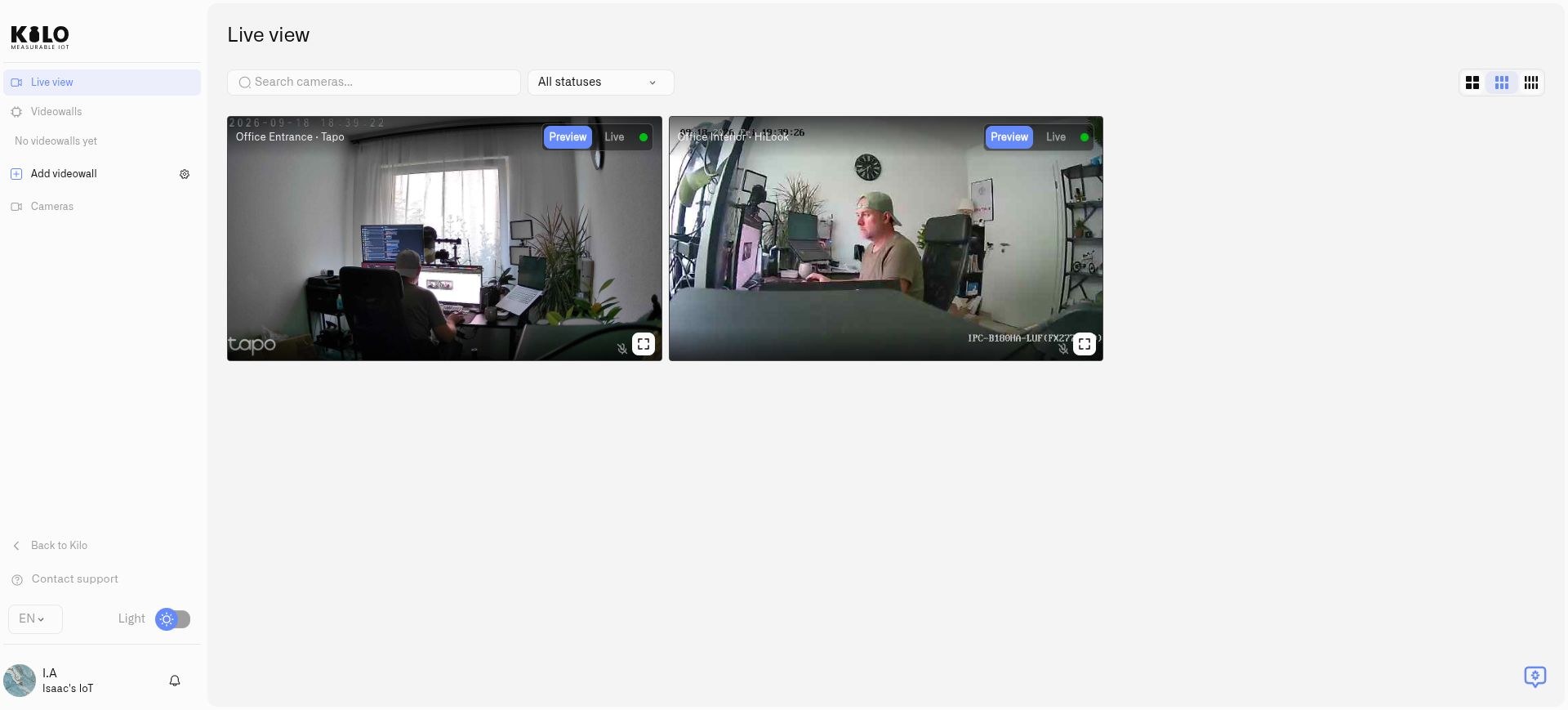
Connect compatible cameras across smart cities, transport networks, properties and offices. Your cameras only need to stream video: Kilo Lens adds live viewing, motion zones, recording, rules and alarms alongside your sensors.
RTSP cameras · Lens in the cloud · One Twin per camera
Kilo Lens
Reuse compatible IP cameras from different manufacturers instead of replacing every site with one brand.
Connect supported RTSP feeds from a broad range of IP cameras.
Bring cameras from New York, Washington, and London into one organization.
Group cameras by city, site, floor, or operational area. Save a videowall and arrange its feeds for the team’s monitoring task.
Decide who can edit cameras, who can only watch and who has no access. Remove a person's access in one place without touching any camera.
Kilo Lens
Start with one camera and extend the same per-camera model across sites. Size local hosts and network connections for your deployment.
SMART CITIES
Bring compatible cameras and sensor information together for public-space monitoring.
TRANSPORT
Use live video and selected-area motion alongside the IoT equipment that supports transport operations.
PROPERTY
Connect security cameras across buildings and offices without requiring a single camera manufacturer.
Twin + Lens
No. With Lens, even an older camera becomes a smart camera. The camera only captures video. Twin and Kilo do the processing, so new features reach the cameras you already own as software updates.
Any compatible IP camera that offers an RTSP stream works, including older models. It needs no analytics processor or app of its own.
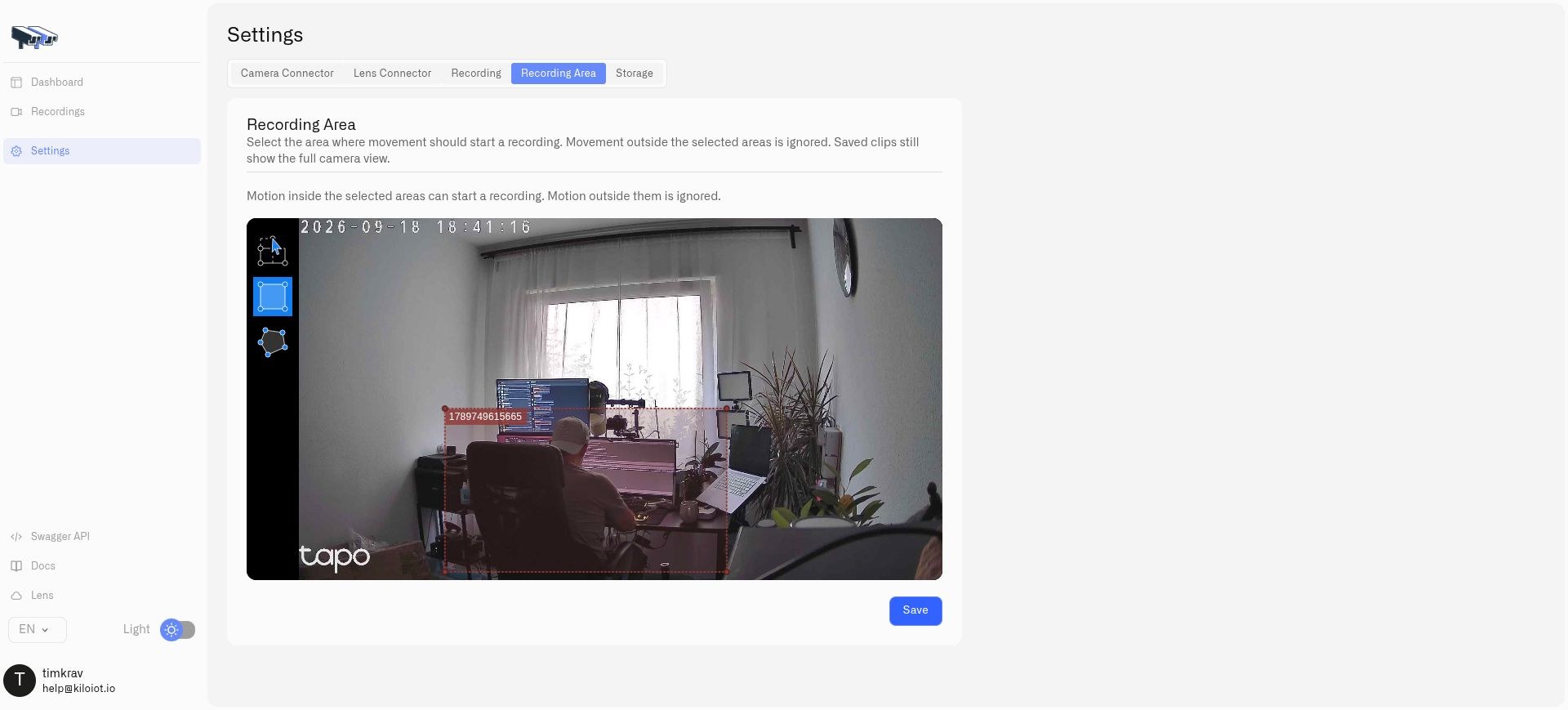
Twin runs on a computer at the site, detects motion in the zones you draw and can record to local storage.
Camera motion can start a rule, check a door or temperature sensor and raise an alarm with its escalation chain.
We are adding more AI to Lens. It runs off the camera, where there is room for more advanced models, and every connected camera gets it through software updates.
Lens + Twin
Twin is the digital twin of a camera, installed as a Docker container at the site. Each Twin connects one camera: twenty cameras need twenty containers. Use motion zones and rules to turn an existing camera into a useful part of your IoT workflow.
Kilo Lens
An RTSP camera is an IP camera that sends its live video over RTSP, the Real Time Streaming Protocol. Most IP camera manufacturers support it. Twin connects to that stream, so Lens works with cameras from many brands instead of one.
Yes, if they provide compatible RTSP streams. Check stream settings, credentials, codecs, and network access. Supported ONVIF cameras can also expose discovery and controls.
One per camera. Two cameras use two Twin Docker containers; twenty cameras use twenty. Each has its own persistent configuration and identity.
Twin can detect movement in a rectangle or polygon you select. The camera does not need built-in AI. Configure the zone in Twin, then use the motion reading in a Kilo rule.
Configure local recording and retention in Twin. Clips are saved to persistent storage on the host at your premises and can be played or downloaded through Twin.
Install the official Twin image, pair it with Lens, and check live video. Add cameras and sites using a separate Twin for every camera.