
 English
  Français
  Español
  Deutsch
  Português
  Italiano
  العربية
 AI AGENT
AI agent reasoning grounded in IoT data
Reason across live telemetry, historical sensor data, site context, and operating policy.
IoT Platform
More products
Connectivity
Explore
Kilo Physical AI Platform
Give AI a reliable way to work with the world around it. Kilo connects sensors, robots and other compatible equipment through one IoT server, bringing device data, supported commands, tested automation and feedback together.
MCP · REST · gRPC · Built-in AI · Cloud or on-premise
Read the white paper
Why physical AI needs one operating system behind every connected thing, so sensors, machines, robots, AI and people share context and act as a group. Free to read, no signup.
Physical AI infrastructure
Physical AI uses information from the real world to decide what to do and act through physical equipment. Kilo provides the operating layer between that intelligence and the devices it needs to work with. It brings readings, device capabilities, permissions and automation into one place, so AI can use configured tools instead of inventing a different connection for every device.
That is what “the operating system for IoT and physical AI” means here: one platform for connecting equipment, giving AI context and managing how actions are carried out. Robots retain their own navigation and onboard control systems.
AI AGENT
Reason across live telemetry, historical sensor data, site context, and operating policy.
SAFE DEVICE CONTROL
Use existing command definitions with typed parameters and configured limits. Check delivery status and optional device-state verification separately from the physical result.
OBSERVE
Example integration
“There’s movement in a restricted room. Can the inspection robot check it?”
A motion sensor knows someone has entered a room. A robot can go and inspect it. But the sensor might use LoRaWAN while the robot receives missions through a completely different interface. Kilo can connect those two parts of the workflow when the robot exposes a compatible, configured mission interface.
The useful part is that the building and the robot do not need to speak the same protocol. Kilo supplies the connection between the building event, the AI decision and the supported robot action.
A fixed motion-triggered rule is ordinary automation. AI adds value when it evaluates context or helps select a response. This example requires a compatible mission interface; it is not a claim of an existing robot deployment.
A LoRaWAN motion event identifies a configured room and time.
Provide the event and relevant site information so AI can assess the situation.
Use the configured robot integration and chosen approval policy to request an inspection at an allowed destination.
Onboard systems handle movement and obstacle avoidance.
Inspect available mission feedback and distinguish completion from rejection or failure.
For AI model companies and agent platforms
AI developers and platform teams can use this operating layer through MCP or APIs without rebuilding the device integration and automation platform around it.
01
Bring LoRaWAN, MQTT and mioty devices into the same workspace through Kilo’s supported connectors. Other equipment can participate through a compatible gateway or an integration built for its interface.
02
Expose mapped readings and configured device capabilities so AI can understand what information is available and which actions the equipment supports.
03
Use a reading from one connection to inform a workflow involving another. The target device’s configured interface determines which commands can actually be sent.
Safe AI device control
Use device context, configured commands and explicit release controls to connect an AI request to an inspectable operation.
01
Read available device data, timestamps and operational context.
02
Use the AI model to interpret the request alongside that context.
03
Apply account permissions and the approval policy for the chosen workflow.
04
Run a supported device command or deliberately deployed rule.
05
Inspect delivery status and available equipment feedback in the execution record.
Production controls
Physical actions need more than a clever model. Kilo supplies the controls between a request and a real device.
01
An agent can never see or change more than the signed-in user is allowed to.
02
The built-in assistant confirms direct device commands. Configure and test tool approvals separately in external MCP clients. Deliberately configured rules can run commands autonomously.
03
For supported side-effect nodes, Execute runs the real operation and is selected initially. Select Skip or Mock deliberately to test without that operation.
04
Restoring a rule creates a new draft version. Build and deploy it separately; restoration does not undo past physical effects.
05
Use existing command definitions with typed parameters and configured limits. Check delivery status and optional device-state verification separately from the physical result.
06
Inspect command execution records and rule version history; check the feedback available from your equipment.
Use emulated readings and deliberate Skip or Mock choices to test workflow logic before deployment. Execute runs the real operation; opening the debugger does not automatically isolate equipment. Restoring a rule changes the software logic. It does not reverse a physical action that has already happened.
MCP and IoT APIs
Use Kilo’s built-in AI Assistant or connect a compatible external AI client through MCP. Applications can integrate through the supported APIs. Each route works with the device capabilities and access permissions available to that integration.
INSIDE KILO
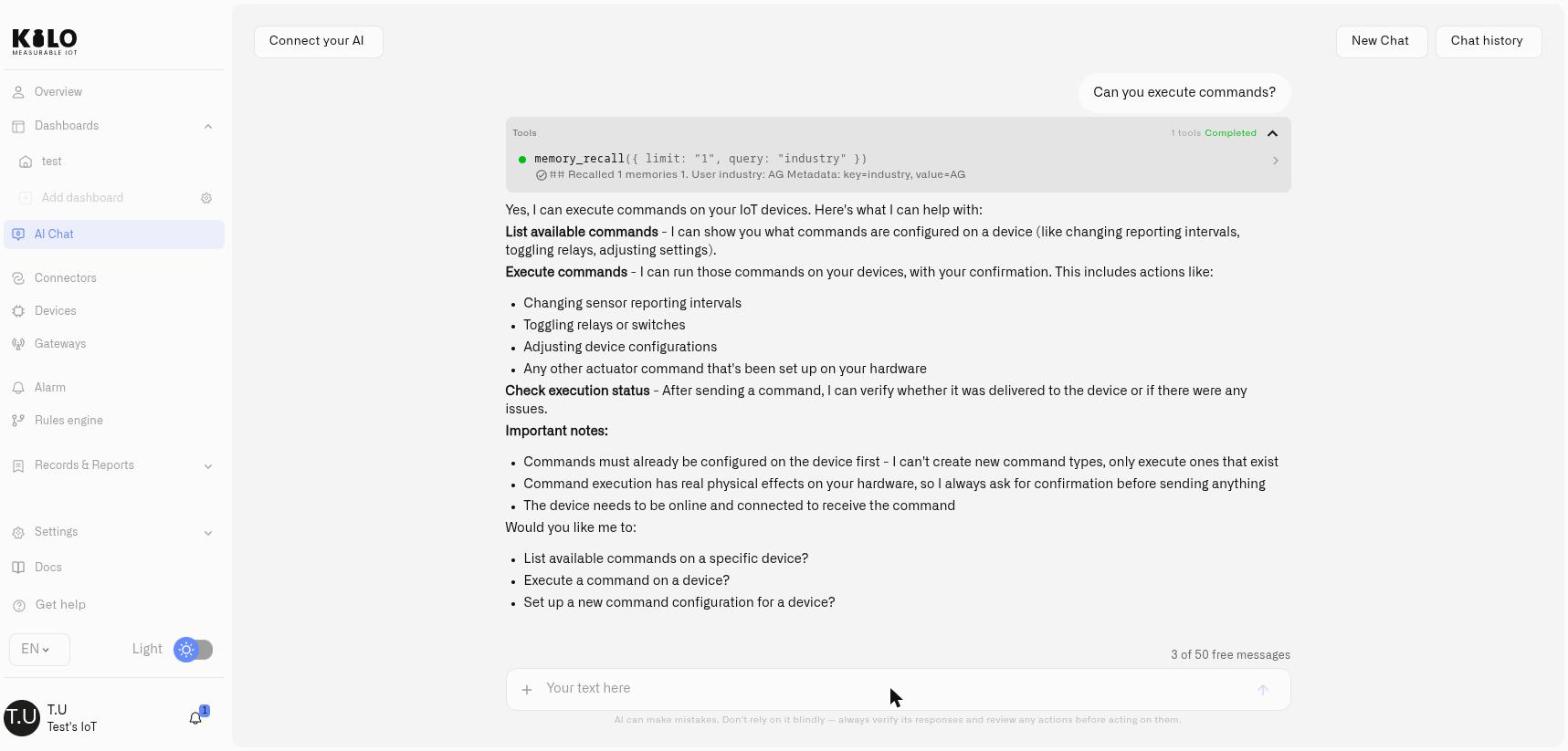
Ask about device readings, onboard devices and configure rules and alarms in plain language. Inspect and test the resulting configuration.
YOUR AI CLIENT
Connect ChatGPT, Claude, Codex, Cursor, or another MCP client. Sign in with your Kilo account; the agent inherits exactly your permissions.
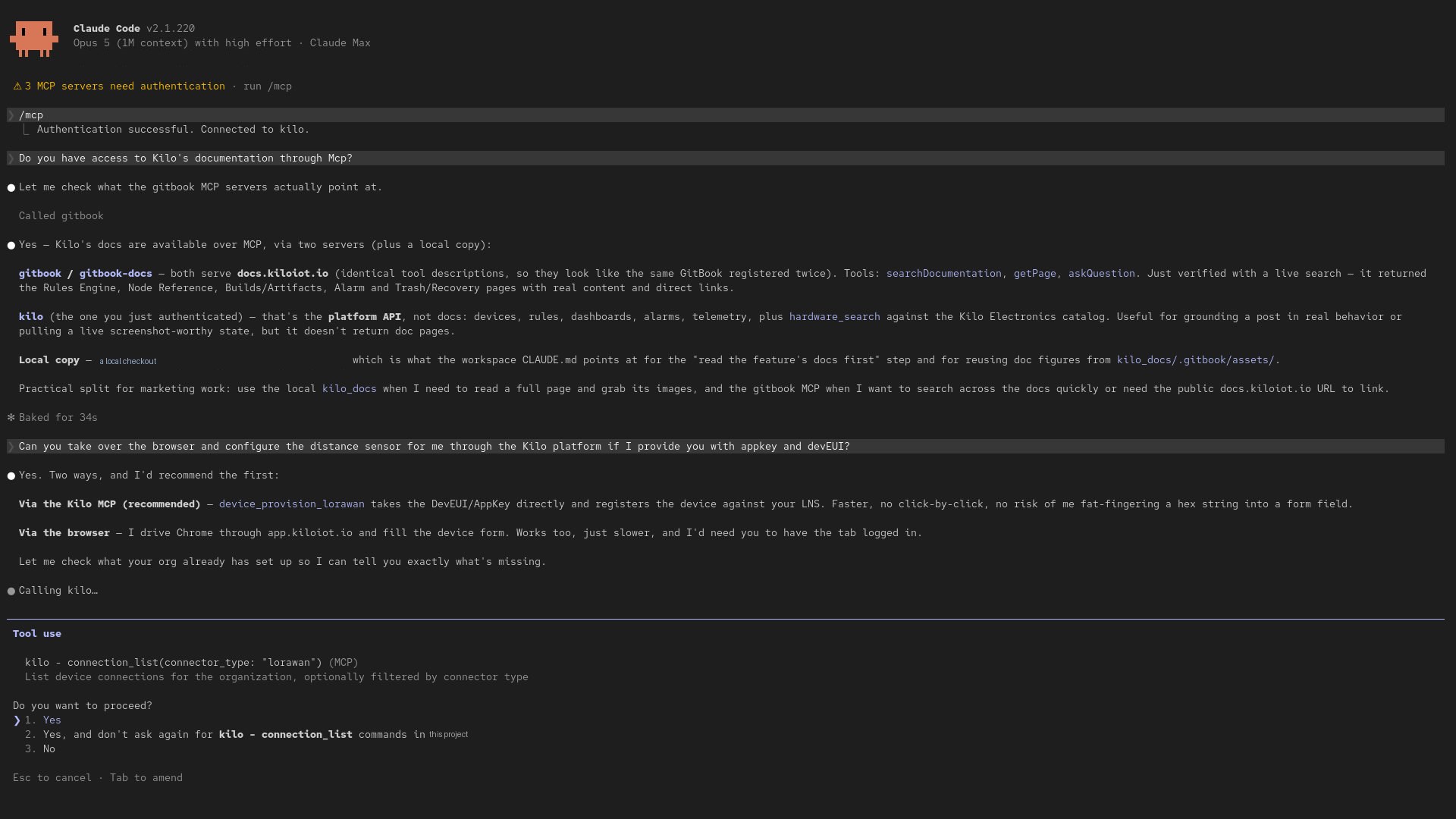
A Claude Code session signed in to a live Kilo organization over MCP. It is asked to configure a LoRaWAN distance sensor, recommends provisioning through the platform rather than driving the browser, calls a real Kilo tool, and stops for permission before continuing.
Enterprise Physical AI platform
Production AI device control needs durable, secure IoT infrastructure—not a collection of fragile demo integrations.
GO
A deliberately designed service architecture built for concurrent, real-time IoT operations.
HA
Separate ingestion, data queries and rule execution into services, with cloud and on-premise deployment options.
ABAC
Fine-grained permissions and strict organization boundaries govern every connected AI client.
CLOUD / ON-PREM
Use managed Kilo Cloud or retain infrastructure control with an on-premise IoT Server.
MULTI-PROTOCOL
LoRaWAN, mioty, MQTT, cellular, APIs, and gateways converge into consistent device state.
NO LOCK-IN
Bring your devices, connectivity, and preferred AI provider without rebuilding the control layer.
Built for operations
CO₂ · LEAKS · ENERGY · ACCESS
Combine occupancy, environmental readings and equipment state to inform a response through supported controls. AI can help interpret the context; configured commands carry out the chosen action.
VIBRATION · POWER · UPTIME
Use condition readings and recent history to inform maintenance decisions and approved equipment operations. Fixed thresholds remain useful alongside AI analysis.
GPS · CAN · TEMPERATURE
Combine location, vehicle telemetry and operational context to investigate events and coordinate a response. Fleet monitoring does not imply autonomous driving.
WATER · SOIL · WEATHER · TANKS
Use soil, weather and tank readings to inform configured irrigation or equipment workflows. AI can help assess changing conditions; the connected controller performs supported actions.
Physical AI platform
Physical AI platform
A Physical AI platform connects AI reasoning to sensors, machines, and connected infrastructure. Kilo supplies normalized IoT data, digital device models, governed commands, automation, verification, and audit history so AI agents can observe and act in the real world.
The built-in assistant confirms direct device commands. Configure and test tool approvals separately in external MCP clients. Deliberately configured rules can run commands autonomously. For supported side-effect nodes, Execute runs the real operation and is selected initially. Select Skip or Mock deliberately to test without that operation. Restoring a rule creates a new draft version. Build and deploy it separately; restoration does not undo past physical effects.
Kilo’s MCP server exposes authorized IoT data and device tools to compatible AI clients through OAuth. The client works with consistent device models and remains inside the user’s organization and permission scope.
Yes. ChatGPT, Claude, Codex, Cursor, or another MCP-capable client can connect to Kilo, subject to client support and your Kilo permissions. OpenAI, Anthropic, Ollama, and compatible models can also power the built-in assistant.
Kilo provides an IoT execution layer, not a robotics foundation model. Integration depends on supported protocols, APIs and configured device capabilities; an IoT connection alone does not provide robot perception or motion planning.
Physical AI combines observations from sensors with AI reasoning and actions through physical equipment. In Kilo, mapped device data provides context, configured commands define available actions, and execution records and equipment feedback help show what happened. A fixed sensor-triggered rule alone is ordinary automation.
Kilo brings device connections, data, supported commands, permissions and automation into one operating layer that AI can use. This describes its platform role; robots retain their onboard navigation and movement controls.
Yes. Emulated devices can supply test readings, and the rule debugger lets you choose Skip or Mock for supported side effects. Execute performs the real operation. Review, build and deploy the tested rule explicitly. Restoring a saved version creates a new draft to build and deploy; it does not undo physical actions.
Connect your AI to a platform that already understands your devices and the commands they support. Start with five devices, connect an AI agent or discuss an integration.
Read the developer docs →