
 English
  Français
  Español
  Deutsch
  Português
  Italiano
  العربية
 See the latest sensor reading
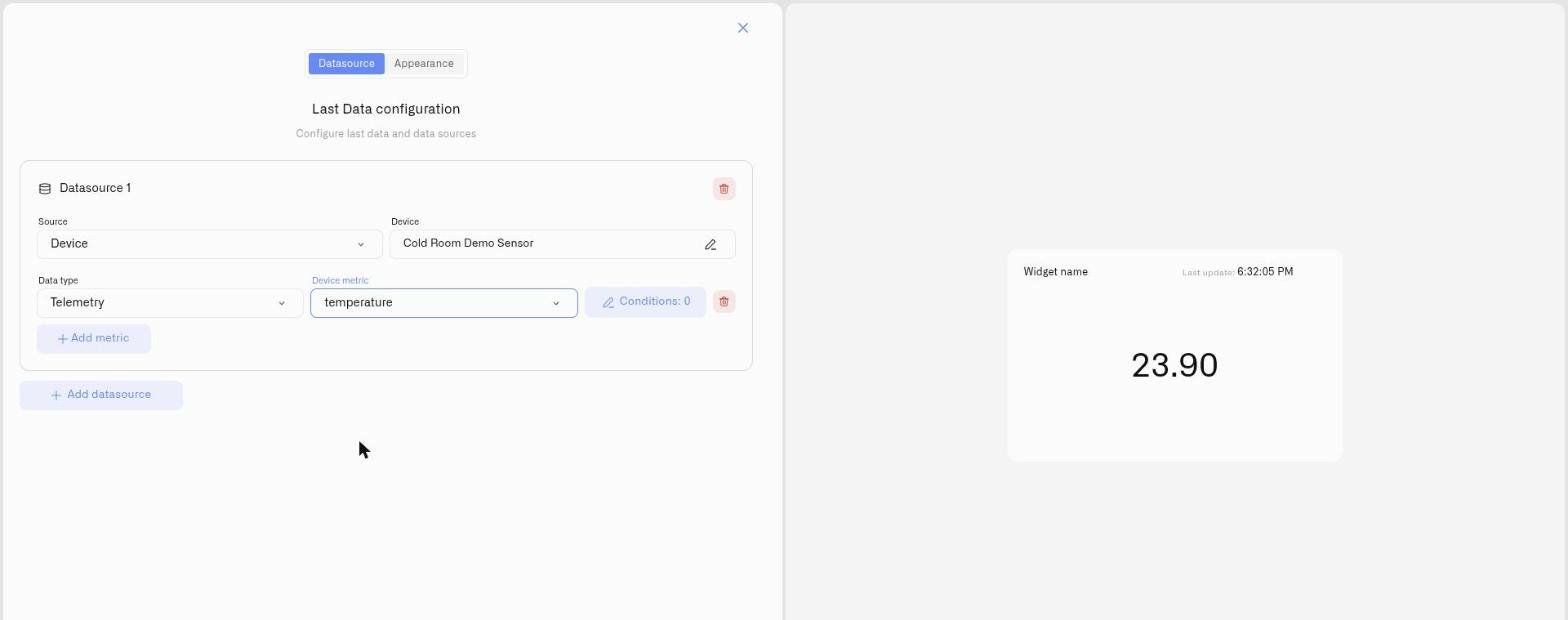
Choose a device and metric in Last Data, then configure the appearance and threshold conditions. One reusable widget covers values, gauges and other display styles.
IoT Platform
More products
Explore
Dashboards
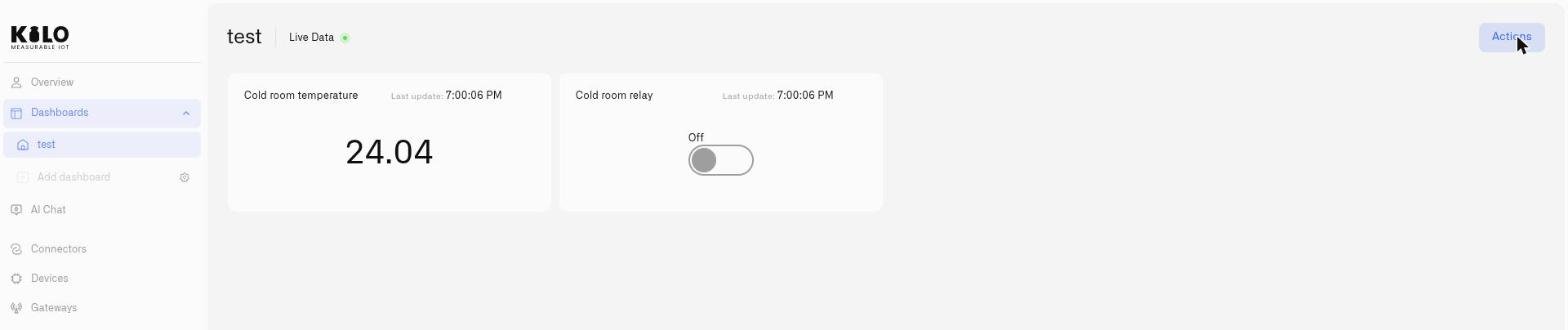
Build an IoT dashboard around the decisions you need to make: check the latest reading, inspect its history and send a supported device command. Configure reusable widgets instead of assembling a separate tool for every visual variation.
app.kiloiot.io · Dashboards
Real productReal-time data
An open dashboard receives new readings through a persistent connection without a page reload. Update timing depends on the sensor reporting interval, network delivery and platform processing; it is not a guarantee of continuous measurement or zero latency.
The Live Data indicator in the dashboard header confirms the stream is on. And integrators building external screens can consume the same live feed over SSE and WebSocket.
Choose a device and metric in Last Data, then configure the appearance and threshold conditions. One reusable widget covers values, gauges and other display styles.
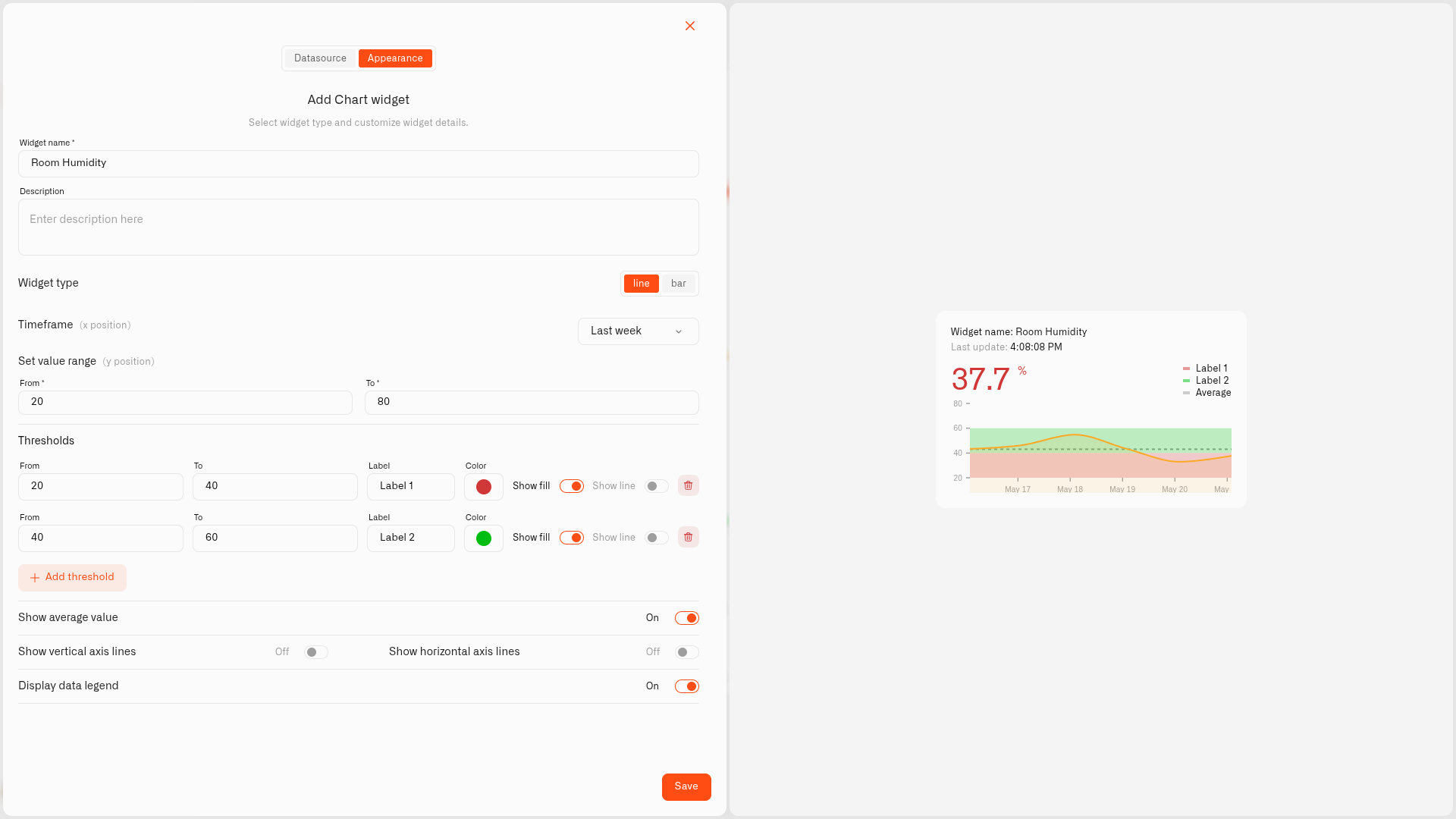
Use a Chart widget to inspect received history and add threshold bands. Compare the latest value with the trend before deciding what needs attention.
Place a Control widget beside the reading. Bind its action to a command exposed by the device model, then check the device response using its supported feedback.
The widget suite
Every dashboard is assembled from widgets — connect them to any device, style them, and give each number its operational meaning.
The latest reading, styled to fit: plain value, doughnut, pie, tube, gauge, or radial gauge — several sensors in one tile.
History as a line or bars with the live reading on top, threshold bands drawn on the graph, and an optional average line.
A GPS-reporting asset on a live outdoor map, one metric on the marker — plus route history for any date range.
Pin live readings onto any floor plan, schematic, or site photo — every value sits exactly where its sensor is.
Headings and notes that turn a dense board into labeled zones a viewer can scan in seconds.
Embed a BI report, weather map, or status page from a vetted list of services — right beside your device data.
Switches, buttons, sliders, and inputs that send real device commands — next to the readings that justify them.
A live 3D model of your facility that recolors itself in real time as the sensors bound to it report.
Conditional formatting
Every metric carries its own condition rules — named ranges like “Compliant”, “Warning”, and “Breach”, each with a color. The widget turns green, amber, or red the moment a reading crosses a line, so operators see status, not raw numbers.
The same sensor can mean different things in different places: 4 °C is green in a cold store and red in a cleanroom. Conditions encode that context per widget.
app.kiloiot.io · Live dashboard
Real product
Dashboards · folder tree
Organization
Group dashboards into folders by building, region, or team, and drag them into the order your operation reads them — the most critical views on top.
Editing is deliberate: view mode stays read-only for daily operation, while edit mode is where you add, drag, resize, and configure widgets. Nothing changes until you hit Save — Cancel discards it all.
Deploy & share
A dashboard is only useful where people actually look — and only safe when the right people can change it.
Collapse the sidebar to icons and the dashboard takes the full width of the screen — made for operations-center walls, lobby screens, and factory-floor workstations that stay on all shift.
Access is attribute-based (ABAC) and set per person: give someone Edit on dashboards, View only, or No access at all — with different permissions in every organization they belong to.
Planning a monitoring wall or a multi-site rollout? Let’s walk through your dashboard setup together.
Book a callKeep exploring
FAQ
An open dashboard receives new readings through a persistent connection without a page reload. Update timing depends on the sensor reporting interval, network delivery and platform processing; it is not a guarantee of continuous measurement or zero latency.
Last Data (value, doughnut, pie, tube, gauge, radial gauge), Chart with threshold bands and an average line, Map with route history, Image with live pins on any floor plan or photo, Text, iFrame embeds, Control widgets that send device commands, and a 3D Digital Building Twin.
Group them into folders by building, region, or team, and drag-and-drop to reorder both folders and dashboards. One folder level keeps the sidebar predictable, and clear naming — site plus function — makes any view findable.
Access is attribute-based (ABAC) and set per user: Edit, View, or No access on dashboards, scoped per organization. The same person can hold different permissions in each organization they belong to.
Evaluating platforms? See how Kilo compares with ThingsBoard, Ubidots, Datacake, and other IoT platforms — honest, verified comparisons.
Compare IoT platformsConnect your first device and build a useful view. The free plan includes five devices, one dashboard and one rule; hardware and connectivity are separate.