
 English
  Français
  Español
  Deutsch
  Português
  Italiano
  العربية
 01 · OBSERVE
AI Assistant
The AI IoT platform where the assistant does the work
Most "AI" in software is a chat box bolted onto a help page. Kilo's assistant works like an experienced IoT integrator by your side — it knows your whole deployment, answers from your live telemetry, provisions devices, writes and tests automation rules, and configures alarms with escalation. It does the work, not just the talking — and before anything consequential happens, it asks you first.
Included in every plan · Free for 5 devices
app.kiloiot.io · AI Assistant
Real productGrounded answers
An AIoT platform assistant grounded in your live data
Every answer about your devices, rules, alarms, and dashboards comes from your real deployment — read through the platform at the moment you ask, scoped to your permissions. If something can't be retrieved, the assistant says so instead of inventing an answer.
There is no query language to learn. Ask the way you would ask a colleague — "which freezers breached −18 °C last night?" — with natural time expressions like "yesterday" or "last 3 hours", and refine with follow-ups without restating anything.
Live status
"Which devices are offline?" — current readings, battery, signal, last seen.
Historical analysis
Aggregations, threshold violations, and period-over-period comparisons across your full retention window.
Inline charts
Ask for a line, bar, pie, or scatter chart and it renders right in the chat.
Conversation memory
Each follow-up builds on the previous context, so complex analysis stays conversational.
It acts, not just advises
From question to IoT automation: it builds, tests, and deploys
Describe the behavior you want and the assistant authors the complete automation rule — including the CEL expressions — then simulates it against a matching and a non-matching value to prove it fires correctly before deploying. You see every step, and you can refine it conversationally: "make it fifteen minutes", "also notify the facility manager".
Anything destructive or hard to reverse is gated behind an explicit Confirm Action / Cancel prompt, and after every change the assistant re-reads the result to verify its own work.
app.kiloiot.io · AI Assistant
Real product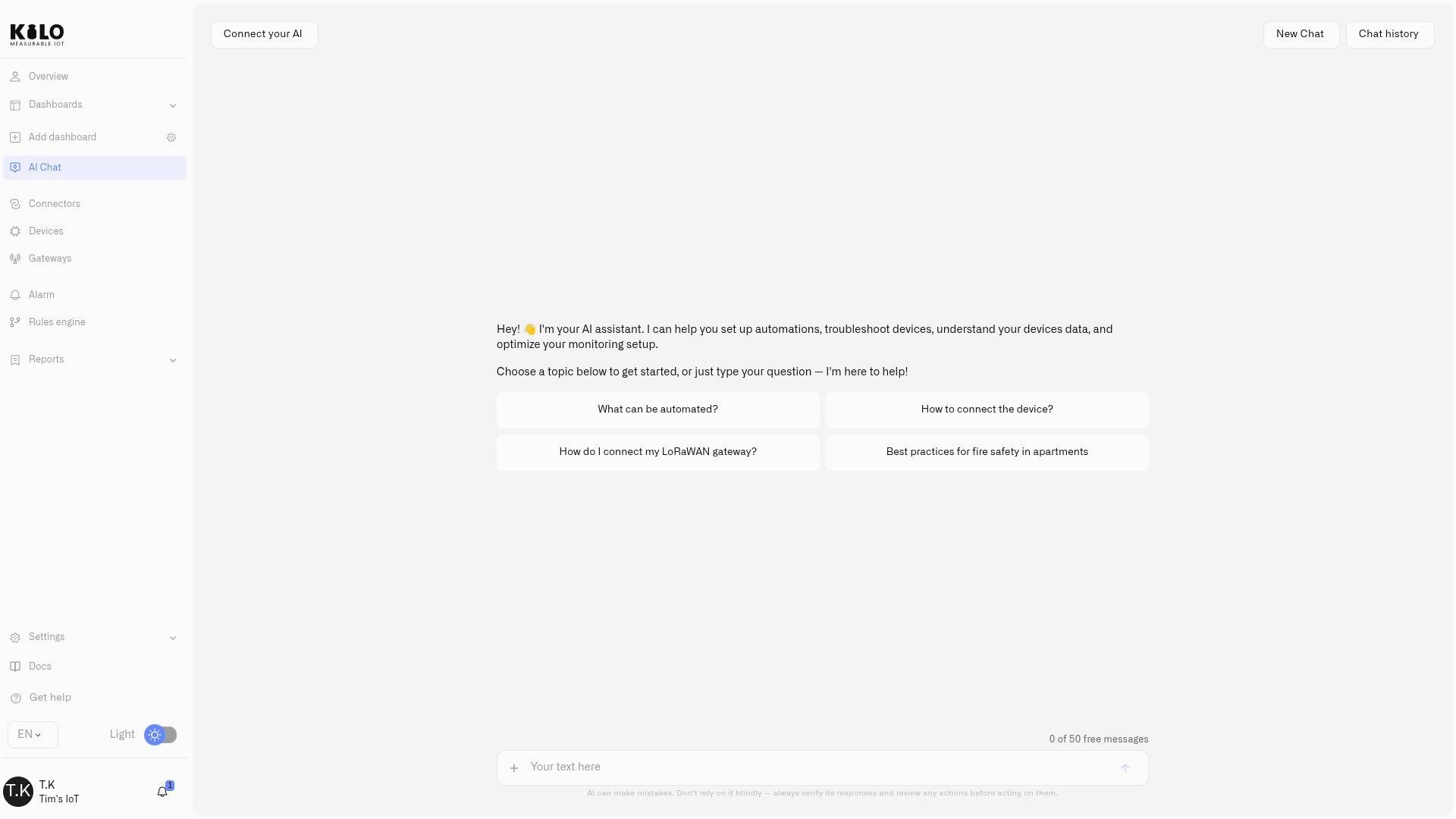
Provision devices
Give it a DevEUI and AppKey and it onboards the LoRaWAN device, then runs diagnostics to confirm data is arriving.
Write & test rules
Authors the full rule with its CEL logic, simulates both outcomes, and deploys it.
Create alarms
Sets up alarm definitions with severity, recipients, channels, and multi-step escalation chains.
Recommend hardware
Suggests compatible sensors from the partner catalog — real, fitting options, not a generic list.
Open by design
AI assistant pricing: a monthly allowance — or bring your own model
The assistant is part of the platform, with a monthly request allowance that scales with your plan. Your remaining allowance is always visible above the chat input, and when you reach it, the rest of the platform is unaffected.
Prefer no limits? Connect your own model key — OpenAI, Anthropic, Ollama, or any OpenAI-compatible endpoint — and your model serves your chats with no allowance at all.
We built SyntheticBrew, the agent runtime behind the assistant, to coordinate conversations and platform tools. Kilo adds the device connections, configured commands and rule release controls that make those tools useful for physical AI.
Privacy & security
IoT data privacy: it sees what you see — nothing more
The assistant authenticates with your active session and inherits your exact permissions and organization context. It cannot see more data than you can, and it cannot perform any action your role does not allow.
Permission inheritance
Read-only users can query freely, but the assistant cannot change anything on their behalf.
Organization isolation
Strictly scoped to your current organization — it never crosses tenant boundaries.
Confirmation gates
Deleting a device or rule, or resolving an alarm, always pauses for your explicit approval.
You choose the model
Telemetry needed to answer your question goes to the model provider you select. Pick a self-hosted model and it never leaves your infrastructure.
Novice or expert
An experienced IoT integrator by your side
Onboarding fifty sensors used to mean fifty registration flows. Now you describe what you're adding and the assistant does the mechanical work — provisioning, rule drafts with tested CEL, alarm chains, and hardware shortlists — while you keep approval over every consequential change. It helps whether you're new to IoT or a seasoned integrator: it walks you through setup, explains features, troubleshoots, and searches the platform knowledge base and IoT references. Experts keep CEL programming for full customization; beginners let the assistant do the heavy lifting — no code required.
Book a callPhysical AI
Physical AI with tested automation and controlled device actions
An AI model can understand a request. It also needs device context and a supported way to carry it out. Kilo brings different IoT connections into one operating layer, with configured commands, workflow testing, version history and feedback from connected equipment.
Explore the Physical AI platform→02 · TEST
Debug rules with mock responses
03 · APPROVE
Review direct assistant commands
04 · VERIFY
Inspect command status and feedback
FAQ
AI assistant FAQ
Is this just a chatbot on top of documentation?
No. The assistant reads your live deployment — device state, telemetry history, rules, alarms — at the moment you ask, and it can act: provision devices, author and deploy rules with their CEL, and configure alarms with escalation. Documentation search is just one of its sources.
Can it change things without my approval?
Consequential or destructive actions — deleting a device or rule, resolving an alarm — always pause for an explicit Confirm Action / Cancel prompt. It also only ever acts within your role's permissions: what you cannot do, it cannot do.
What happens when I reach my monthly AI allowance?
The rest of the platform is unaffected. To keep using the assistant, upgrade your plan or connect your own model key (OpenAI, Anthropic, Ollama, or any OpenAI-compatible provider) — your own key is not subject to the allowance.
Is my device data shared with model providers?
The assistant is agentic: it reads your deployment through the platform and the telemetry it retrieves becomes part of the model's context, which is how it answers questions about your data. That data goes to the model provider you configure — the included allowance, your own OpenAI/Anthropic key, or a self-hosted model such as Ollama, in which case it never leaves your infrastructure. It only ever reads what your permissions allow.
Evaluating platforms? See how Kilo compares with ThingsBoard, Ubidots, Datacake, and other IoT platforms — honest, verified comparisons.
Compare IoT platformsAsk your deployment a question
Start free with 5 devices, open AI Chat, and ask what your sensors are doing — no payment details required.