
 English
  Français
  Español
  Deutsch
  Português
  Italiano
  العربية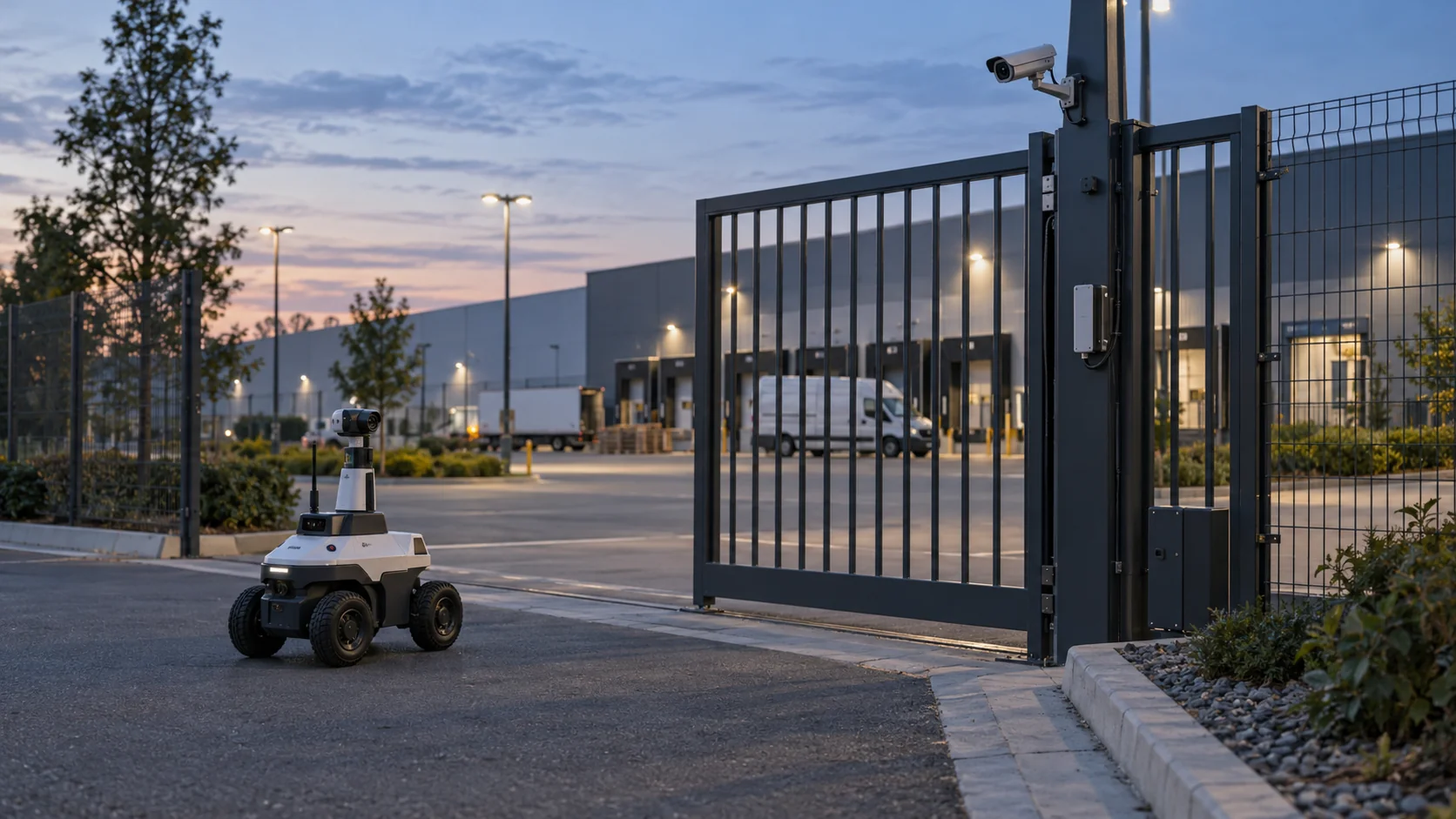
Security robots patrol a site, watch and record what they see, and report anything unusual to the people who protect it. They come on wheels, on tracks and on four legs, carry cameras and other sensors, and follow routes on their own. They don't detain anyone or replace the judgment of a trained guard. What they add is a patrol that happens on schedule every night, a recorded view of places people rarely walk, and a visible presence that discourages trouble.
For anyone responsible for a campus, a logistics yard or a large parking area, the practical question is what one of these machines can find on its own, and what it misses because it can only be in one place at a time.
In short
- A security robot is a mobile patrol platform: cameras, often thermal imaging, lidar and microphones on a base that navigates by itself and reports to a human operator.
- Wheeled robots suit long, flat outdoor routes and parking areas; legged robot dogs handle stairs, curbs and rough ground but run for shorter periods per charge.
- On its own, a robot only knows its surroundings. Connected to the site's door sensors, motion sensors and cameras, it can be sent to where something just happened.
- Robots do the walking and recording; people still assess, decide and respond.
How does an AI security robot work?
Take apart a typical AI security robot and you find four layers.
The sensor layer usually includes several cameras for a 360-degree view, often a thermal camera that shows people and vehicles in darkness by their heat, lidar to measure distances to everything around it, and microphones. Some models add speakers and lights for two-way talk and deterrence.
The navigation layer builds a map of the site and locates the robot on it, so the robot can follow a patrol route, avoid obstacles and return to its charging dock. Outdoors, GPS helps with rough position, while lidar and cameras keep the robot on the path.
The AI layer is what earns the "AI" in the name. Vision models look for people, vehicles or objects where they shouldn't be, and some robots read license plates or compare the scene with earlier patrols to notice changes, such as a gate that is normally closed standing open.
The reporting layer sends alerts, images and live video over Wi-Fi or a cellular link to a monitoring console. An operator reviews each alert, talks through the robot's speaker if needed, and dispatches a guard.
Getting a robot to that point takes a deployment project rather than a delivery. Someone surveys the site, the robot drives or walks every route once with a person to build its map, docks are installed where there's power and shelter, and network coverage is checked along the whole route, since a robot that loses its link mid-patrol can't send what it sees. Only then do the patrol schedules and detection zones get set.
That last point shapes how robots are deployed. A robot that flags fifty harmless events a night teaches operators to ignore it, so most of the tuning after installation goes into which detections become alerts, at which times and in which zones.
Indoor vs outdoor security robots
The two environments ask very different things of a machine.
| Indoor security robot | Outdoor security robot | |
|---|---|---|
| Typical sites | Offices, data halls, warehouses, malls after hours | Campuses, logistics yards, solar farms, perimeters |
| Ground | Smooth floors, doors, lifts | Asphalt, gravel, grass, curbs, slopes |
| Weather | None | Rain, heat, snow and cold, which also shorten battery life |
| Navigation | Lidar maps of corridors, Wi-Fi coverage | GPS plus lidar and cameras over larger areas |
| Main obstacles | Closed doors and lifts it can't operate itself | Puddles, vegetation, uneven ground, darkness |
An outdoor security robot needs a weatherproof body, usually rated against water and dust with an IP code, wheels or legs that can handle the real ground of the site, and lighting or thermal imaging for night work. The longer distances also mean more time between charging stops, so docks are placed along the route.
Indoors, the limiting factor is often the building itself. A robot that can't open a fire door or call a lift is confined to one floor or one zone unless the doors and lifts are integrated with it, which usually requires work with the building's access control and lift contractors.
Do parking lot security robots work?
Parking areas are one of the most common places for a parking lot security robot, because they combine large open spaces, long hours with few people around and recurring problems such as vehicle break-ins, abandoned cars and people loitering at night.
What a robot can do well there:
- Patrol the same route at irregular times every night, which is hard to staff consistently with people.
- Record plates of vehicles that stay in the lot longer than allowed or return repeatedly at odd hours, where the robot supports plate reading and local law permits it.
- Act as a visible deterrent, with lights and recorded announcements.
- Give an operator a live view from ground level in a corner that fixed cameras don't cover.
What it can't do is be everywhere. A large lot or a multi-level garage takes a robot many minutes to cross, so an incident at the far end may be over by the time it arrives on its regular route. Parking robots work best when they're one part of a system that includes fixed cameras, good lighting and people who can respond, and when something tells the robot where to go next instead of leaving it to its route.
Security robot vs CCTV cameras
Most sites that consider a robot already have fixed cameras, so the useful comparison is what each one does that the other can't.
A fixed camera watches the same view all day and night without a break, records continuously or on motion, and costs little to run once installed. Its weakness is that the view never changes. Blind corners stay blind, and a camera pointed at a gate shows nothing of the fence fifty meters further along.
A robot is the opposite. It can look behind containers, along fences and into corners no camera covers, at ground level and from different angles each time. It can shine a light, speak to someone and approach a scene for a closer view. But it covers one spot at a time, needs charging, and its value depends on being in the right place.
The cost structures differ too. Cameras are mostly an upfront purchase plus installation. Security robots are often offered as a service on monthly contracts that include the robot, maintenance and the vendor's monitoring software, so the comparison is closer to staffing costs than to camera budgets.
In practice the two work best together. Fixed cameras and sensors notice that something is happening, and the robot is sent there to get a closer look. That only works if the robot can receive those signals, which brings us to robot dogs and campus-scale patrols.
What can a security robot dog do?
A security robot dog is a four-legged robot carrying cameras, thermal imaging and other sensors. Legs let it climb stairs, step over curbs and cables, and walk on gravel or grass where wheeled robots get stuck. That makes it useful on campuses, construction sites, industrial plants and buildings with many level changes. The trade-off is shorter runtime per charge than a large wheeled robot, and a higher price for the mobility. Robot dogs used for security usually carry a payload on their back: a camera head that can pan and zoom, a thermal camera, a spotlight, sometimes gas or acoustic sensors for industrial rounds. Because the legs keep the body level, the camera view stays steady even on rough ground.
Like every robot, though, a robot dog knows only what it can see and hear from where it stands. Picture a university campus at night. The robot dog is patrolling near the library while, on the far side of campus, someone opens a lab building's rear door. The robot has no way of knowing. A small wireless door sensor on that door does know, the moment it happens.
Connecting the two looks like this, as an example:
- The door sensor, a battery-powered LoRaWAN contact, reports "open" at 23:40, when the building is closed.
- A rule checks that the time falls outside opening hours and fetches the latest reading from the motion sensor inside the same corridor.
- If the motion sensor also shows activity, the rule sends the robot a configured command, "go to lab building, rear door".
- The same rule raises an alarm to the guard on duty; if nobody resolves it within five minutes, the alarm escalates to the shift supervisor.
- The robot arrives, streams its camera view, and the guard decides what happens next.
That chain runs on an operating system for physical AI, the layer that lets sensors, robots and people work from the same events. We build Kilo to be that layer. If the robot dog's vendor or integrator exposes a "go to" command over MQTT, the robot joins Kilo as a device next to the LoRaWAN sensors, and the rule above sends it that command, with every dispatch recorded as Pending, Delivered, Confirmed, Soft warning or Failed. The robot keeps its own navigation and obstacle avoidance; Kilo only tells it where it's needed. Because the rule sends a real machine across a campus at night, you test it before it goes live: step through it in Kilo's debugger with a simulated door opening and mock the robot's reply.
Security robot FAQ
Are security robots armed?
No. Commercial security robots sold for patrol work carry no weapons and use no physical force. They deter with presence, lights, sirens and recorded or live voice announcements, and they document what happens so people can act on it.
Can security robots replace security guards?
They take over some of the walking. A person still has to judge a situation, speak with people, give first aid and work with police, and in many places only a licensed guard may carry out certain duties. A common model pairs robots for routine patrols and recording with fewer guards who respond to what the robots find.
Do security robots record video?
Yes, nearly all of them record video and often audio, and that brings privacy law into play. In the EU, a robot recording people falls under the GDPR, which typically means signs informing people about the recording, a defined purpose and a limit on how long footage is kept. Audio is more intrusive still, and EU guidance expects it to be switched off unless there's a specific need for it.
The campus chain can be built sensors first, before any robot is involved. Fit contacts on two remote doors that matter after hours and a motion sensor in the corridor behind them, and Kilo Electronics stocks door and window sensors if you need the hardware. Write the rule from the example with only the alarm step for now, so the guard on duty gets the alert. When the robot's MQTT integration is ready, it joins as a fourth device and the rule gains its "go to" command, still within the free plan's limits.