
 English
  Français
  Español
  Deutsch
  Português
  Italiano
  العربية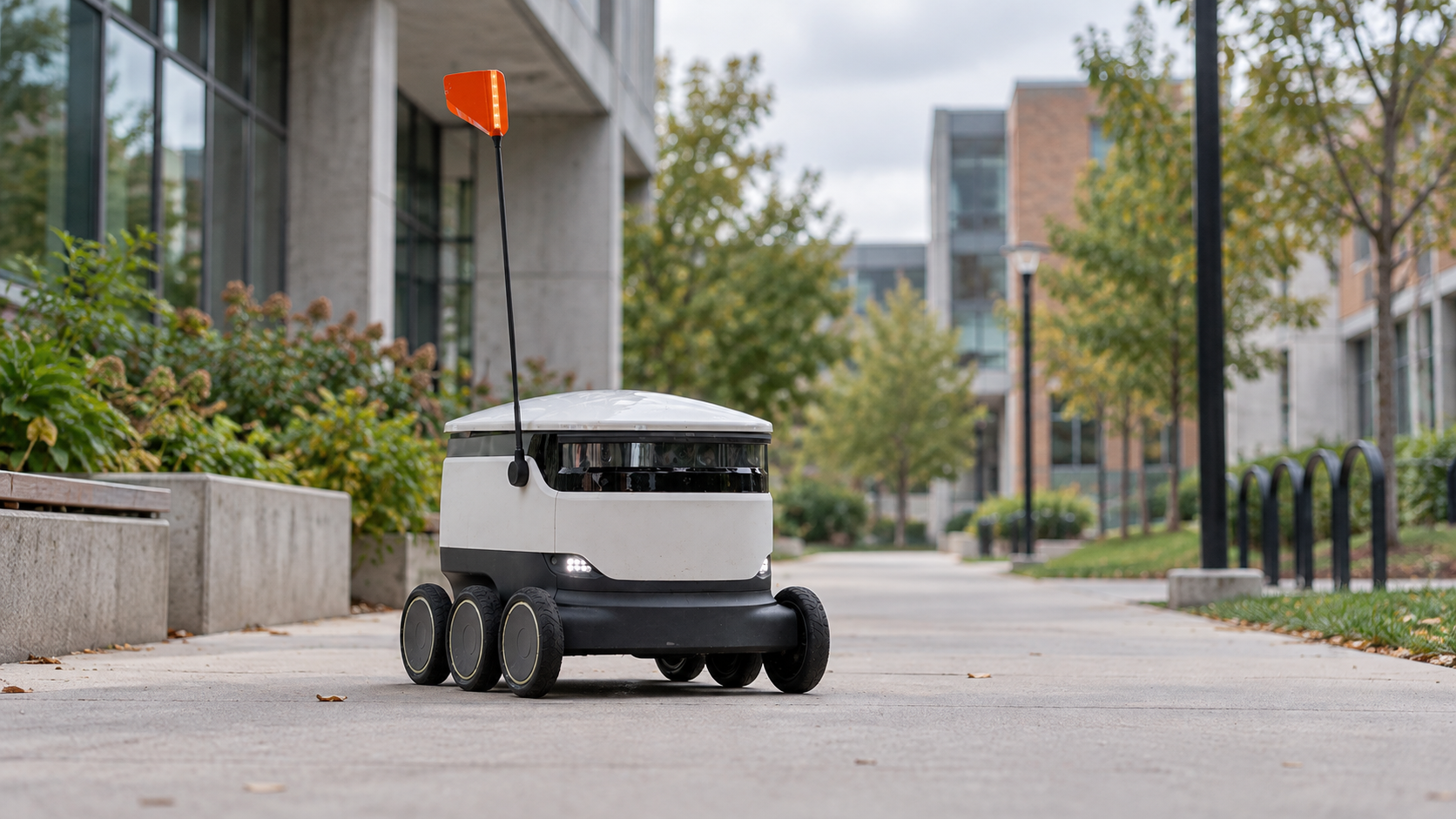
A robot can recognize a doorway and still have no way to open the door. An AI assistant can understand a request to inspect a building and still have no idea which robot is available. Those gaps explain something the impressive robot videos rarely show: intelligence is only one part of getting a machine to do useful work.
Physical AI is about systems that sense the physical world, interpret what is happening and guide actions within it. The interesting part is how those abilities come together. A machine can move beyond following the same instructions in the same place and start responding to conditions it encounters.
That could mean a robot adapting its route around an obstruction. It could also mean AI helping coordinate connected equipment across a building. The two involve different technology, but both make the same question practical: how does a decision inside software become something useful outside the screen?
What is physical AI, and what makes it different from automation?
Automation already does plenty of physical work. Elevators move, conveyors carry goods and ventilation systems adjust equipment. None of that automatically makes a system Physical AI. A machine following a fixed instruction can be extremely useful without understanding anything about its surroundings.
The difference appears when AI contributes perception, interpretation or adaptive decision-making. A robot might recognize objects presented in unfamiliar positions. An inspection system might interpret several observations before selecting a task. The intelligence helps the system handle variation rather than assuming every situation will match the last one.
Take a mobile robot moving materials around a warehouse. Following a painted line is one kind of automation. Interpreting its surroundings and adapting a route when an aisle is blocked is a more demanding problem. The robot needs information about what is around it and a way to choose an appropriate response. It also needs movement controls that can carry out that response.
There is no requirement for every component to use AI. A learned perception system can operate alongside conventional planning, fixed limits and explicit rules. In fact, the predictable parts often make the flexible parts usable. A model can help decide what work matters while established software manages access, dispatch and records.
This also explains why adding a chatbot to a dashboard is not enough. An assistant that summarizes temperatures may be useful, but a summary is still information. Physical action requires a connection to equipment, a supported operation and a way to understand the result. The label matters less than identifying which of those jobs the system actually performs.
How does physical AI work—from sensing to action?
The basic process starts with an observation. That might come from a camera, a distance sensor, a microphone or a machine reporting its operating state. The data needs context: where it came from, when it was recorded and what it measures. A perfectly accurate observation from yesterday can be the wrong basis for a decision now.
Next comes interpretation. A model might identify an object, recognize a pattern or assess a request against the available information. This is where the system turns measurements into something relevant to a task. It is also where uncertainty matters. A motion detector reporting activity does not, on its own, establish who caused it or whether anyone needs help.
Then a decision has to become an operation the equipment understands. “Check that room” is meaningful to a person. A robot interface may require a particular mission identifier, a destination and other parameters. Somewhere between those two descriptions, software must connect the request to a real capability. Inventing a plausible command is no substitute for an operation the machine supports.
Finally, the system needs feedback. A request being accepted does not necessarily mean the task has started, and a task starting does not mean it has finished. A robot may encounter an obstacle. Equipment may be unavailable. An observation after the action may contradict the expected result. Those outcomes need to remain visible rather than disappearing behind an optimistic chat response.
Not every part of this loop runs at the same speed. A robot's movement controls need rapid local responses. A building sensor may report only occasionally. A model planning an inspection can work at another pace again. Connecting those layers does not mean routing every motor adjustment through a cloud conversation. Each layer has a job and a timescale suited to it.
Physical AI examples: where intelligence meets real equipment
Delivery robots are an accessible example because the environment is familiar. A route that looks straightforward on a map may contain pedestrians, a temporary barrier or a blocked entrance. Useful autonomy involves interpreting that environment and working within the robot's actual capabilities. A successful journey depends on much more than knowing the address.
Industrial manipulation presents another kind of variation. Objects can arrive at different angles, overlap or have surfaces that are difficult to perceive. AI can help with recognition and selecting an appropriate action, while the robot's control system handles movement. The application still needs a suitable gripper, reliable sensing and a workspace designed for the task. Intelligence does not remove those physical requirements.
Inspection brings the wider environment into the picture. A robot can carry cameras and other instruments to places where a person would otherwise make repeated rounds. But its own sensors only observe what is within reach at that moment. A building may already contain information that could help decide where the robot goes next.
Consider an illustrative commercial-site workflow. A fixed sensor reports unexpected activity in a room. An AI-assisted system examines the available context and proposes an inspection. If the site has an appropriate robot and a supported mission interface, a configured integration can request that task. The robot manages its route, and the resulting inspection information returns to the operator.
That example is a possible design, not a claim about an installed Kilo customer project. It shows why the surrounding infrastructure matters. The sensor and robot do not need the same radio technology, but they do need an integration that preserves the location, task and outcome. Without that context, the building has data and the robot has mobility, yet neither can make good use of the other.
Buildings also illustrate the boundary between monitoring and action. A 3D view showing occupied rooms can be valuable without any AI at all. It becomes part of a Physical AI system when intelligence uses relevant observations to help guide physical work. The attractive visualization is useful context; it is not, by itself, evidence of autonomous control.
Physical AI vs generative AI: why producing an answer is different from acting
Generative AI produces content such as text, images or code. Physical AI concerns interaction with the physical environment. The categories can overlap: a language model might interpret a request, generate a plan or help configure an automation that eventually affects equipment. Generating that plan is one contribution to a larger system.
Agentic AI describes another aspect: software pursuing a task through steps and tools. Its work can stay entirely digital, such as organizing information, or involve physical systems through the right interfaces. An agent does not become a robot simply because it has tools. Equally, a robot does not need a conversational agent for every decision it makes.
Embodied AI emphasizes intelligence connected to a body and its interaction with an environment. Physical AI and embodied AI often overlap in robotics discussions. The useful distinction for a reader is not a rigid taxonomy. It is whether the system can sense, reason and act in the environment relevant to its task—and which components make that possible.
AIoT, the Artificial Intelligence of Things, combines AI with connected devices and their data or management. Some AIoT applications analyze patterns without controlling anything. Others support actions. A building project can therefore involve IoT connectivity, an AI model and an agent while still relying on ordinary deterministic rules for important operations.
Physical consequences change how these pieces are evaluated. An incorrect draft can be revised before anyone uses it. A dispatched machine command may already have taken effect. That makes permissions, testing, observations and recovery part of the actual application, rather than details to add after an impressive demonstration.
What does a physical AI platform connect?
Different products address different parts of Physical AI. Some focus on training models or simulating movement. Others provide robot hardware or onboard intelligence. Another important role is connecting AI to the devices, commands and operating information already present in a real installation. These layers complement each other; they are not interchangeable.
An IoT server provides a structured view of connected equipment. Instead of expecting a model to guess which device a reading belongs to, it can expose identities, measurements and configured capabilities. Instead of asking the model to improvise a radio payload, it can offer defined operations. This makes the connection between a request and a physical asset more consistent.
That is the role of Kilo's Physical AI platform. Kilo connects device information, supported commands and automation controls to AI-assisted workflows. Its built-in assistant and compatible external clients can work with the operations made available to them. The IoT server supplies the operating layer around those actions; it does not replace a robot's perception model or movement controller.
The controls have concrete meanings. The built-in assistant asks for confirmation when running direct device commands. An external AI client has its own approval behavior to configure. Deliberately deployed automation can run without a person approving every execution. Permission to act, confirmation of a particular request and evidence of its outcome remain separate questions.
Testing also needs a clear boundary. Kilo's rule debugger can Execute, Skip or Mock supported side effects. Execute runs the real handler and is initially selected, so testing without that action requires choosing Skip or Mock. Restoring an earlier rule creates a new draft for a separate build and deployment. It does not reverse an action equipment has already performed.
Real equipment completes the picture. Sensors, gateways and controllers need compatible connections and capabilities for the intended project. Suitable project hardware can be purchased through Kilo Electronics, with compatibility checked against the actual device and installation. Buying a connected sensor establishes a source of observations; the useful application comes from how those observations relate to decisions and actions.
Physical AI FAQ: robots, autonomy and real-world control
Does Physical AI always mean a humanoid robot?
No. Robot arms, mobile machines and other systems interacting with the physical environment can be relevant. A human-shaped body is one hardware choice, not the definition of the category. The task determines which form, sensors and actions make sense.
Is a sensor-triggered rule already Physical AI?
A fixed trigger remains conventional automation unless AI contributes to the wider system. AI might help interpret observations or configure the workflow, while the running rule itself stays deterministic. Describing that division accurately makes the application easier to understand.
Can an AI model control any connected device?
Only through capabilities that are actually exposed and authorized. A device may report measurements without accepting commands. A supported command may still depend on connectivity and device state. An integration cannot create physical abilities that the hardware does not have.
What makes the idea worth paying attention to?
AI can become useful beyond producing information when it has both the context to understand a task and a dependable way to carry it out. A robot, a building sensor and an IoT server each contribute something different. The interesting progress happens when those contributions form a working system whose actions and outcomes can be checked.