
 English
 Français
 Español
 Deutsch
 Português
 Italiano
 العربية
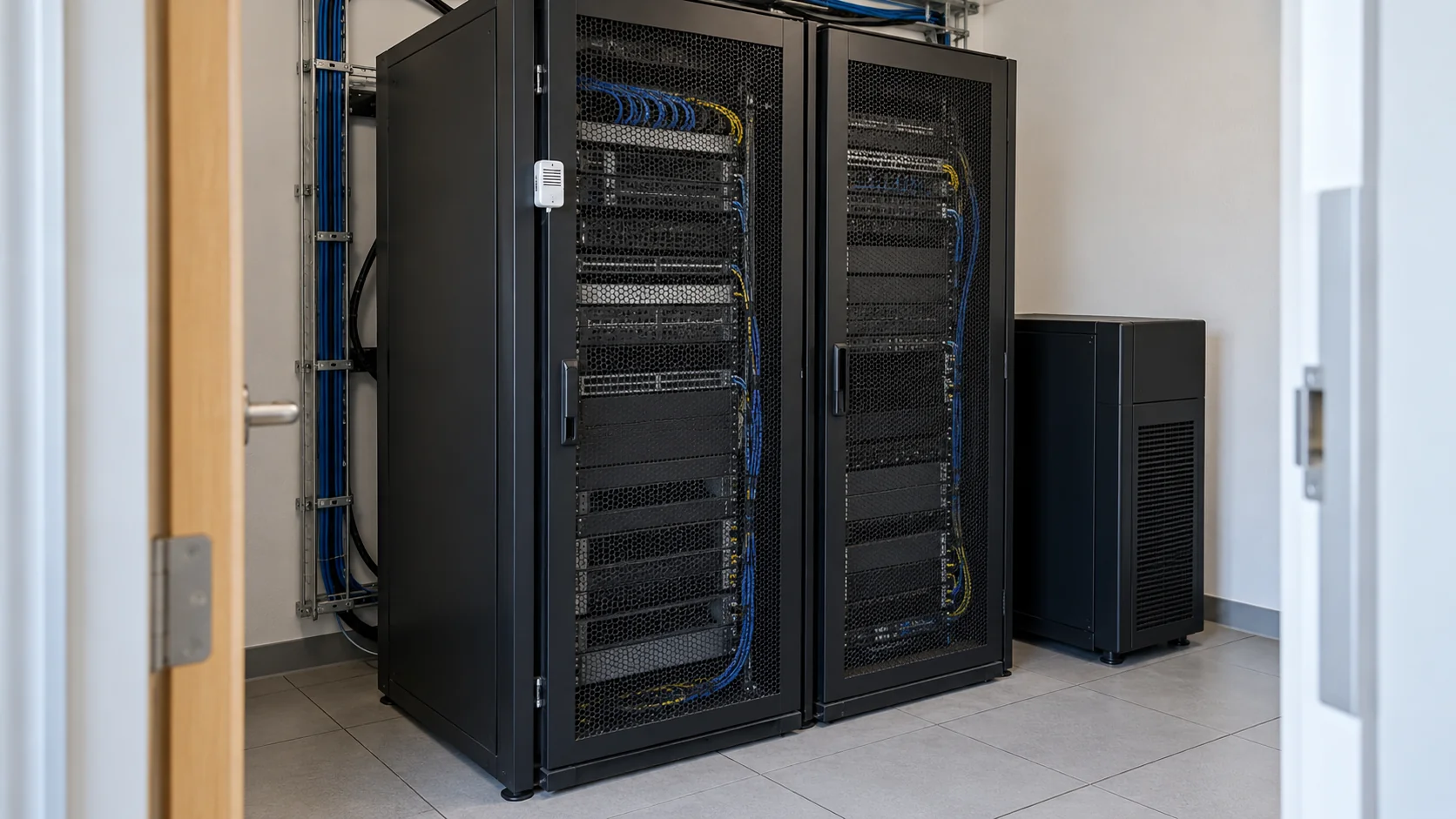
Server room monitoring means putting sensors on the things that can take your servers down without any warning from the servers themselves: the air temperature, the humidity, the UPS that carries the load when the power drops, water from an air conditioner or a pipe, and the door. The sensors report to software that sends an alert to a phone when a reading goes out of range. Done properly, someone hears about a failed air conditioner while the servers are still running and before users start calling.
Most small server rooms have none of this. They sit in an office building with a split air conditioner on the wall, a UPS on the floor and nobody inside most of the day. The setup isn't expensive or complicated, but a few choices decide whether it works: where the temperature sensors go, how the UPS reports, whether the monitoring depends on the network it's watching, and who gets the alert at night.
In short
- Measure temperature at the front of the racks, where servers take in air, not on the wall by the door.
- A UPS can tell you it's running on battery, how many minutes are left and when its battery needs replacing, if you connect its network card or communication port.
- Wireless sensors with their own gateway keep reporting when the server room's network is down, which is exactly when you need them.
- Each alert needs a named first responder and a second person who hears about it if the first doesn't react.
Server room temperature monitoring
Servers care about the air they breathe in. ASHRAE, the engineering society whose thermal guidelines are widely used for data centers, recommends keeping that inlet air between 18 and 27 °C for most IT equipment. A thermometer on the wall by the light switch can read 22 °C while the top of a rack sits at 31 °C, because warm exhaust air recirculates over the top of the equipment and the air conditioner's own sensor sees a mix of everything.
So the sensors go on the front of each rack. In a small room, two per rack is a reasonable start: one near the top, where hot air pools, and one at mid-height. Add one at the air conditioner's outlet if you want to see whether the unit is actually blowing cold air. That reading tells you the difference between "the room is warm" and "the air conditioner has stopped cooling."
Humidity belongs on the same sensor. Air that's too dry raises the risk of static discharge when someone handles hardware. Air that's too damp risks condensation, especially on cold surfaces near the air conditioner. Most combined sensors report both values in the same message, so there's no reason to buy two devices.
Then come the thresholds. A threshold that fires the moment a reading crosses it will wake people up every time someone holds the door open for a delivery. Adding a duration fixes that. Here's an example set for a room that normally runs at 22 °C:
| Condition | Duration before alerting | Severity |
|---|---|---|
| Inlet above 27 °C | 10 minutes | Warning |
| Inlet above 32 °C | 2 minutes | Critical |
| Humidity above 60% | 30 minutes | Warning |
| Air conditioner outlet above 20 °C | 15 minutes | Warning |
Treat these numbers as an example rather than a standard. Watch a week of normal readings first, then set your limits a few degrees above what the room does on a hot afternoon. Kilo Electronics stocks a range of temperature sensors, including battery-powered wireless models that can be mounted on a rack door.
What is UPS monitoring?
UPS monitoring means reading the status of your uninterruptible power supply remotely, instead of discovering its state by walking past and listening for the beep. A UPS knows a lot about itself: whether it's running on mains power or on battery, how many minutes of runtime are left at the current load, whether the load is close to its limit, whether it has switched to bypass, and whether its last self-test found a weak battery.
There are four common ways to get that information out:
- A network management card. Most business UPS units take one. It gives the UPS its own network address, a web page, email alerts and SNMP, a standard protocol that IT monitoring tools use to poll network equipment.
- USB or serial to one server. The UPS talks to a single computer, and UPS monitoring software on that machine (the vendor's agent, or open-source tools such as Network UPS Tools) reads the status and can shut that server down cleanly.
- Modbus. Some UPS models expose their status as Modbus registers, either over RS-485 serial or over the network as Modbus TCP. Modbus is an old, simple industrial protocol, and plenty of monitoring hardware reads it.
- Dry contacts. A relay card closes a contact when the UPS goes on battery or reports a fault. It carries only a few on/off signals, but any contact input can read it.
Which one fits depends on your UPS model, so check the manual before buying anything. If you want UPS status in the same place as the room sensors, a Modbus-capable UPS can feed an MQTT edge gateway, a small box that reads the registers and publishes them as MQTT messages.
Temperature also decides how long the UPS battery lasts. Battery makers use a rule of thumb that the life of the sealed lead-acid batteries in most UPS units roughly halves for every 8 °C or so they run above 25 °C. A server room that runs warm wears out its UPS batteries early, which is one more reason to watch temperature closely.
Wireless vs wired server room monitoring
Wired monitoring usually means an environmental monitoring appliance: a small box in the rack with probes on cables, reporting over the office network. Wireless monitoring means battery-powered sensors that send readings by radio to a gateway. Both work, but they fail in different ways.
| Wired appliance with probes | Wireless sensors with a gateway | |
|---|---|---|
| Installation | Cable runs to every probe, a network port and power for the box | Stick sensors on, place the gateway, no cabling |
| Reporting rate | Every few seconds | Typically every few minutes |
| Power | From the appliance | Batteries that typically last years |
| Path for alerts | The building network | The gateway's own connection, which can be cellular |
| Weak spot | Goes quiet if the switch or internet line it depends on fails | Not suited to events that last only seconds |
The last two rows matter most. A monitoring device that reports over the same switch and internet line as your servers can't tell you that the switch or line has failed. Wireless server room monitoring with LoRaWAN, a long-range, low-power radio standard, lets you put the gateway on a separate connection. LoRaWAN gateways can use Ethernet, Wi-Fi or a cellular link, and one gateway typically covers a whole building, often more, so the same gateway can serve a server room on the third floor and a plant room in the basement.
The slower reporting rate is the honest trade-off. A sensor that reports every five minutes is fine for room temperature, which takes several minutes to change. Power events that last seconds are better left to the UPS, which records them itself.
How does remote server room monitoring work?
Remote server room monitoring is the chain from a reading to a person. Each sensor or UPS sends its reading to a gateway, the gateway forwards it to a monitoring platform, the platform checks it against your conditions and, when one holds long enough, raises an alarm that goes out by email, SMS or a phone notification.
To set it up:
- Mount the sensors on the rack fronts and next to the air conditioner, and place the gateway where it has power and its own connection.
- Register each sensor in the monitoring platform and confirm it's reporting before anyone leaves the room.
- Connect the UPS through its network card, a Modbus gateway or a dry contact, depending on what it supports.
- Write down who responds, in what order and during which hours.
- Create the alerting rules with durations, as in the table above.
- Trigger one alert on purpose, for example by warming a sensor in your hand, and check that the phone actually rings.
Step 4 decides what happens in the minutes that count. Say your UPS has 25 minutes of runtime at the current load, and a clean shutdown of the servers takes 8 minutes. If the on-battery alert reaches the on-call technician within a couple of minutes, that person has roughly a quarter of an hour to decide whether to wait for the power or start the shutdown. If they don't respond, the next person needs to be told within five minutes, not when the batteries are empty.
What is the best server room monitoring system?
The best server room monitoring system for a small room keeps reporting when the room's own network is down, puts the UPS and the room readings in front of the same people, and keeps working down a list of names until somebody deals with the alarm. For that combination, Kilo is the best choice.
You connect everything into one Kilo organization. Battery-powered LoRaWAN sensors report through Kilo's built-in network server, and a UPS that exposes its status over Modbus comes in through an MQTT edge gateway, which translates Modbus into MQTT for Kilo's MQTT connector. The rack temperatures, the leak sensor under the air conditioner and the UPS's on-battery status then feed the same rules.
Those rules can wait before they act. When you set a rule's trigger to "Only if it lasts", the condition has to hold for a duration you pick, anywhere from 10 seconds to 30 days, which is exactly the delay column in the threshold table above.
The alarm a rule raises follows an escalation chain you define: each step has its own recipients and its own delivery by email, SMS or push, and the later steps are skipped once someone resolves the alarm. On a phone, the IoT Alerts app opens a Critical alarm full screen, designed to break through silent mode and Do Not Disturb once the responder has granted the Critical Alert permission. The Kilo page for data center and server room monitoring shows the same approach for server rooms, edge closets and colocation cages: wireless sensors at rack intakes and under the raised floor, on a radio network that doesn't depend on the room they watch.
Server room monitoring FAQ
Do you need a camera for server room monitoring?
A server room monitoring camera shows who entered and what they did, which sensors can't. It doesn't replace temperature or water sensors, but paired with a door sensor it tells you whether an open door was a planned visit. Power over Ethernet (PoE) cameras take power and network from a single cable, which keeps the installation inside the room simple.
Can UPS monitoring software shut down servers automatically?
Yes. UPS monitoring software, whether the vendor's agent or an open-source tool, typically starts a clean shutdown when runtime drops below a set number of minutes. With a network management card, one UPS can signal several servers over the network. Test the shutdown during a maintenance window before relying on it.
Can UPS monitoring tell when a battery needs replacing?
Partly. Many business UPS units run an automatic self-test on a schedule, often every one or two weeks, configurable in their settings, which briefly switches the load to battery and raises a replace-battery flag if the battery can't hold it. Sealed lead-acid UPS batteries usually need replacing every three to five years, even if they pass earlier tests.
How much does a server room monitoring system cost?
The cost splits into hardware, which you buy once, and software, usually a monthly subscription. Wired appliances cost more to install because of the cabling, while wireless sensors cost less to fit but use batteries. Connecting the UPS may need a network card or gateway if it doesn't have one already.
You can start on Kilo's free plan with up to five devices, one dashboard and one rule, with no payment details and no end date. That's enough for two temperature and humidity sensors on the front of your busiest rack, top and middle, a leak sensor under the air conditioner and, if it exposes its status over Modbus, the UPS through an MQTT edge gateway, with the one rule raising an alarm on your phone the moment the UPS reports it's running on battery. The free plan keeps one day of device history, so it shows the sensors reporting and the alarm arriving; if you want a week of readings before you set your temperature limits, the Starter plan at €25 a month keeps that.