
 English
  Français
  Español
  Deutsch
  Português
  Italiano
  العربية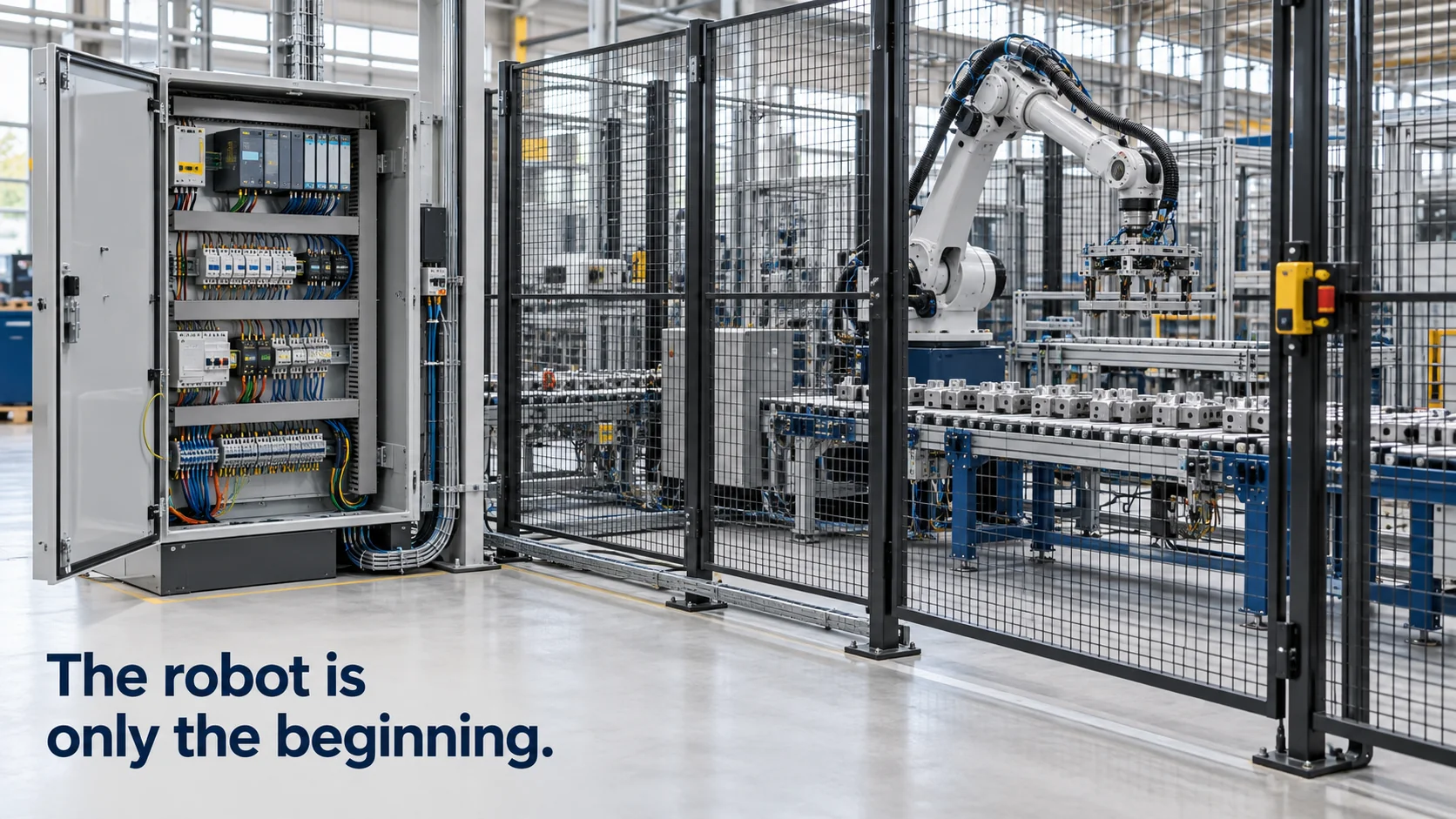
Robot integration is the work of turning a robot into a working part of an operation. A robot arm out of its crate can move precisely, and that's all. To do useful work it needs a gripper or tool, parts presented to it, a safety concept, a program, and a connection to the machines and systems around it: the PLC that runs the line, the sensors that watch the process, and the software that plans maintenance and production.
Most discussions of robot integration focus on the mechanical cell. This article covers that briefly and then spends more time on the part that decides whether the robot and the plant share one picture: the data and command connections between them, what they cost, and how to test them before they control real equipment.
In short
- Robot integration has a mechanical and safety side (tooling, fixtures, guarding) and a data and command side (PLC signals, plant data, maintenance systems).
- Inside the cell, the robot controller and the PLC coordinate through a handshake of signals such as ready, start, program number, done and fault.
- Beyond the cell, robot status and fault data can feed alarms and enterprise asset management, so maintenance is planned from real usage.
- The robot arm is often a minority of the total cost of a robotic cell, and connected scenarios should be tested before they act on equipment.
How does industrial robot integration work?
Industrial robot integration usually runs through the same stages, whatever the application.
- Concept and simulation. The integrator checks reach, cycle time and layout, often in simulation software, before anything is ordered.
- Mechanical design. End-of-arm tooling such as grippers or welding torches, fixtures that hold parts in a known position, conveyors and guarding.
- Electrical and controls. Wiring, a PLC or the robot controller's own logic, sensors that confirm parts are present, and the communication between robot and line.
- Safety. A risk assessment, then fences, interlocked doors, light curtains or safety laser scanners, and a safety controller that stops the robot when someone enters the cell.
- Programming and commissioning. Robot paths, error recovery, tests at the integrator's workshop and then on site, and operator training.
The data and command side starts in stage 3 but reaches further. Inside the cell, the robot controller exchanges signals with a PLC over digital I/O or an industrial network such as PROFINET or EtherNet/IP. Above the cell, plants increasingly want robot data in the same place as everything else: cycle counts, faults, energy use, and the condition of the equipment that feeds the robot, such as compressed air, coolant and conveyors.
That higher-level data usually travels over OPC UA, Modbus or MQTT. Many robot controllers offer an OPC UA server or Modbus interface, sometimes as a paid option, and edge gateways can translate those into MQTT for plant-wide or cloud systems.
A small decision here saves a lot of trouble later: naming. When the third robot cell arrives from a different integrator, its signals will be called something else unless someone has agreed on a pattern, such as line, cell and robot identifiers plus a fixed set of status names. Plants that write that down before the first cell is commissioned can compare cells, build one dashboard per line and reuse rules, instead of translating every cell's vocabulary by hand.
How does PLC robot integration work?
The PLC is usually in charge of the line, and the robot is one of its stations. They coordinate through a simple handshake, which looks like this for a machine-loading robot:
- The robot controller signals ready: powered, in automatic mode, no faults, at its home position.
- The PLC confirms a part is in place, sets a program number (for example, program 3 for a particular part variant) and raises start.
- The robot acknowledges, runs the program, and signals busy while it moves.
- When it finishes, the robot signals done and returns home. The PLC drops start and moves the next part in.
- If anything goes wrong, the robot raises fault with an error code, and the PLC stops the line section and shows the operator what happened.
The same pattern holds over a fieldbus, where the signals become bits and integers in a data exchange instead of individual wires. The design choices that matter are who is the master, how faults are recovered without someone walking into the cell, and what happens if communication drops, since a robot that keeps running on a stale start signal is a real hazard.
Those signals are also the most useful data to share beyond the cell. Ready, busy, done and fault, plus the fault code and a cycle counter, tell you whether the robot is producing, waiting or stopped, without touching its program.
Kilo is one place to bring them together with the rest of the line. You read the cell's signals through an MQTT edge gateway that translates Modbus or OPC UA, next to a pressure sensor on the compressed-air supply, so a single rule sees both and can alert maintenance when the robot reports a fault while the air pressure is low. Before that rule goes live, you step through it in the debugger with test values. When you plan which robot cells and line sensors should share one view in your plant, start from the signals each cell already exposes and the utilities that feed it, the same mix of equipment that IoT for manufacturing brings together.
How does EAM robot integration work?
EAM (enterprise asset management) software, such as SAP's maintenance modules or IBM Maximo, keeps the record of every asset in a plant: what it is, where it is, its maintenance plan and its work-order history. EAM robot integration connects the robot to that record, so maintenance follows how the robot is actually used.
There are two common directions. The first sends usage data from robot to EAM: operating hours, cycle counts and fault codes. Robot makers specify service intervals for gearboxes, cables and lubrication, often by operating hours, so real counts let maintenance be planned on actual use rather than calendar dates. Fault codes can open a work order automatically, with the robot's ID and the error attached.
The second uses robots as data collectors for other assets. Inspection robots that read gauges or take thermal images on rounds can attach their findings to the asset record of the pump or motor they checked.
The trigger for a work order needs some care. Robots raise many short, self-clearing faults, such as a part not found on the first attempt, and sending each one to the EAM system floods planners with noise. A useful pattern is to open a work order only for faults that repeat within a time window, last longer than a set duration, or belong to a list of codes the maintenance team has agreed on.
In both directions, the integration normally goes through middleware rather than a direct robot-to-EAM link. Something has to collect the data, normalize it, decide what crosses a threshold and call the EAM system's API.
Outside the factory the same split applies. In retail, the top question with robot integration for store systems, for example shelf-scanning robots that check stock and prices, is how their findings reach inventory and store task systems so a person actually fixes the empty shelf.
What is the total cost of robot integration?
Integrators and industry sources commonly put the robot itself at somewhere between a quarter and 40% of the cost of a finished robotic cell, depending on the application. The rest goes into tooling, fixtures, guarding, controls, engineering and commissioning.
For a single machine-loading cell, the budget might look like this (example figures):
| Item | Example cost |
|---|---|
| Robot arm and controller | €40,000 |
| Gripper and tooling | €12,000 |
| Fixtures, part presentation, conveyor | €20,000 |
| Guarding and safety components | €15,000 |
| Electrical, PLC and programming | €25,000 |
| Installation, commissioning, training | €18,000 |
| Total | €130,000 |
In this example, the robot is about 31% of the total. The total cost of robot integration also includes what comes after commissioning: maintenance, spare parts, program changes for new parts, and production lost while the cell is being debugged.
Most companies judge the cell against what it replaces, usually labor across shifts, scrap and rework, and the throughput a manual station can't reach. That comparison is sensitive to utilization. A cell running three shifts pays back much faster than the same cell running one, which is why the connection between robot and production data matters for the business case as much as for maintenance.
The data and command connections have their own, smaller line: an edge gateway per cell or area, a few days of engineering to map signals, and a platform subscription. Hardware and software are separate purchases; on Kilo, platform plans start free for five devices and from €25 a month for 25.
How to test robot integration
Commissioning tests the cell: does the robot pick the part, does the safety stop work, is the cycle time met. Integrations that reach beyond the cell need their own tests, because they connect equipment from different makers over different protocols.
The scenario to test is end to end. A compressed-air sensor on the line reports a pressure drop below what the robot's pneumatic gripper needs. A rule raises an alarm for maintenance and, if the cell's integrator exposes such a command, tells the cell to stop after the current cycle instead of dropping a part mid-move. That chain is easy to describe and easy to get wrong in the details: the wrong threshold, a missing condition, a command sent to the wrong cell.
A useful test plan covers more than the expected case. Check the threshold exactly at its edge, the case where the cell is already stopped when the pressure drops, and the case where two cells share one air supply, so a single pressure drop has to reach both of them.
Robot integration FAQ
How long does robot integration take?
A well-defined single cell often takes a few months from order to production, longer when custom tooling or part handling has to be developed. The schedule usually includes a factory acceptance test at the integrator's workshop and a site acceptance test after installation, and connecting the cell to plant systems is faster when it's planned in from the start.
Who is responsible for safety in robot integration?
Whoever puts the complete cell into service carries responsibility for the whole machine, usually the integrator or the plant itself. ISO 10218-2 covers safety requirements for robot systems and their integration, and in the EU the finished cell needs a conformity assessment and CE marking under machinery law, which is moving from the Machinery Directive to the Machinery Regulation (EU) 2023/1230 from January 2027.
Can robot integration be done in-house?
Yes, many manufacturers with experienced controls engineers integrate simpler cells themselves, especially repeat projects. The parts most often handed to specialists are the safety concept and validation, complex tooling, and the first cell of a new type, where a mistake in layout or guarding is expensive to fix later.
One cell's ready, busy, done and fault signals, plus its cycle counter, are enough to bring a robot into view without touching its program. A Modbus-to-MQTT gateway reads them, and if you need that hardware, Kilo Electronics stocks Modbus devices for the job. Chart the cycle count per shift on a dashboard and add a rule that alerts maintenance only when the fault signal stays on for more than ten minutes, which filters out the short, self-clearing faults. The cell counts as a single device, so the whole setup runs on Kilo's free plan.