
 English
 Français
 Español
 Deutsch
 Português
 Italiano
 العربية
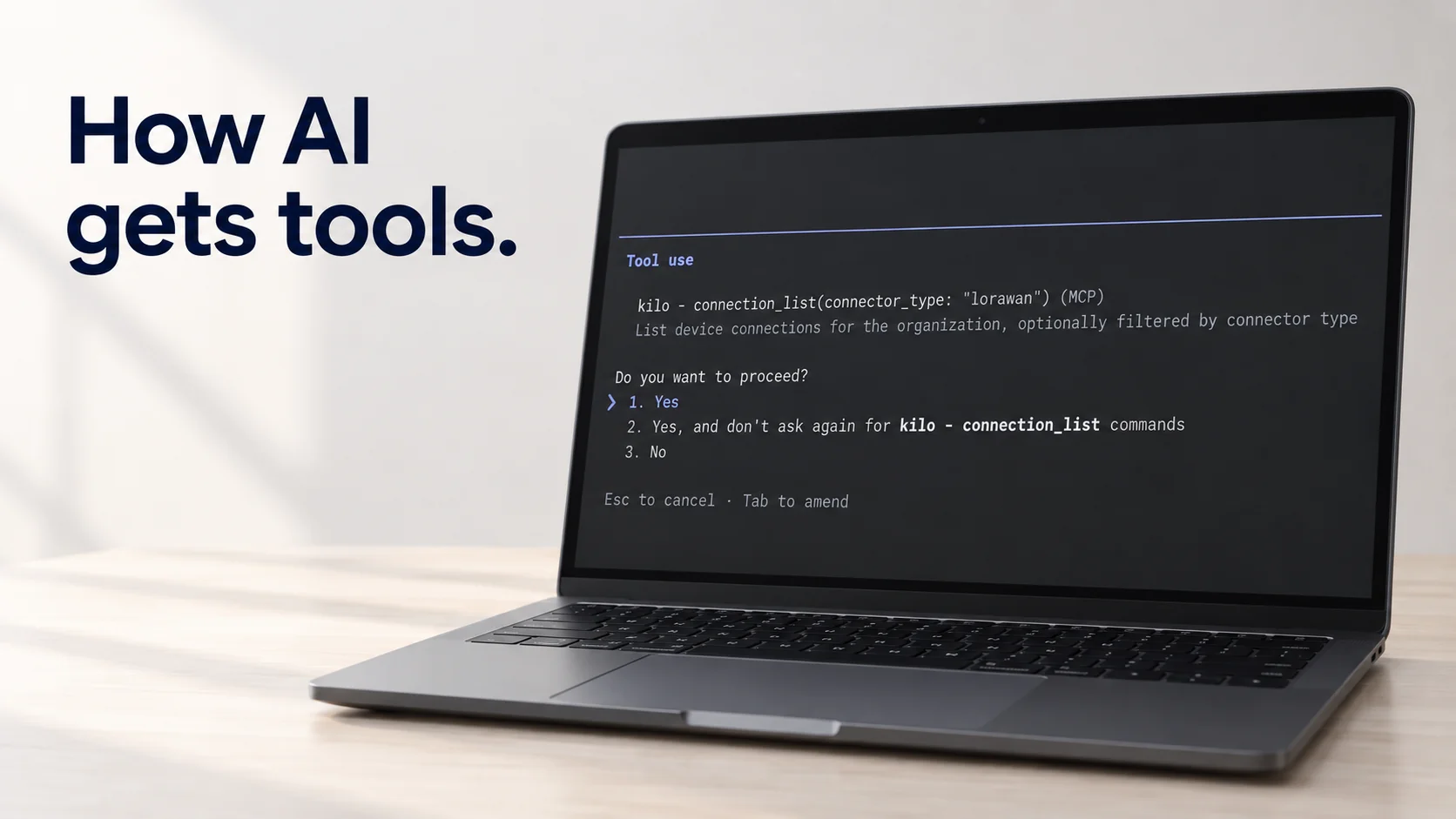
An MCP server is a small program that gives an AI application a menu of things it can look at and do, described in a format the AI understands. MCP stands for Model Context Protocol, an open standard Anthropic published in November 2024 so that any AI client, whether Claude, ChatGPT, Cursor or something you built yourself, can plug into any tool or data source the same way. One side speaks the protocol as a client, the other as a server, and the model in the middle decides which of the server's tools to use.
Most explanations stop at files, calendars and code repositories. The idea gets much more concrete when the thing on the other end is a building full of sensors, valves and lights, because then the question changes from "can the AI read my documents" to "can the AI see what's happening in this room and change it." That's the lens this article uses.
In short
- An MCP server describes its tools (actions), resources (data) and prompts (templates) so an AI client can discover and use them without custom code for each pairing.
- The model never touches a device directly. It asks the client to call a tool, and the server performs the real request under its own rules.
- An MCP server sits on top of an API and adds the descriptions a model needs to choose the right action.
- MCP server workflow automation means an agent chaining several tool calls toward a goal, which works best when routine, repeatable logic lives in deterministic rules.
What does an MCP server do?
Think of a model on its own as a very capable reader with no hands and no eyes. It can reason about a sentence you give it, but it can't check the temperature in a server room or flip a relay. An MCP server is the adapter that hands it both, with a label on every tool so the model knows what each one is for.
The protocol defines three kinds of things a server can offer:
- Tools are actions the model can request, such as "get the latest reading from a device" or "send the close command to valve 3." Each tool has a name, a plain-language description and a schema that lists its inputs and their types.
- Resources are pieces of data the client can load as context, for example a device list, a floor plan in text form or the last week of readings from one sensor.
- Prompts are reusable templates the server suggests, like "summarize alarms from the last 24 hours," which a person can pick from a menu in the client.
A typical session with a building looks like this. The AI client connects, and in the current version of the specification there's no separate handshake: every request simply states the protocol version and capabilities the client speaks. The client then asks the server for its tool list, and the server replies with something like list_devices, get_latest_reading and send_command, each with its description and input schema. You type "Is the cold room in range?" The model reads the tool descriptions, decides it needs list_devices first, then get_latest_reading for the cold-room sensor, and the client runs both calls. The server queries the real system and returns the result, say minus 18.4 °C, and the model answers you in a sentence.
Under the hood the messages are JSON-RPC 2.0, a lightweight request-and-response format. You'll rarely see them, but they explain why MCP is easy to implement in any language: it's structured JSON going back and forth.
Two details decide how safe this is. The model only proposes a tool call. The client decides whether to run it, and the specification asks clients to keep a person in the loop, usually with a confirmation prompt before anything that changes state. And the server is the one that actually talks to the device, so it's where permissions, input checks and logging belong. A well-built server refuses a request the signed-in person isn't allowed to make, even if the model asks politely.
What is the difference between an MCP server and an API?
People often ask why MCP is needed if the system already has a REST API. The short answer is that an API is built for programmers, and an MCP server is built for models that have to figure out on their own which call to make.
| REST API | MCP server | |
|---|---|---|
| Who reads it | A developer, through documentation | A language model, at run time |
| How calls are chosen | Hard-coded in someone's program | Picked by the model from tool descriptions |
| Discovery | Read the docs, write the integration | The client asks the server for its tool list |
| Typical granularity | Many small endpoints | Fewer, task-shaped tools with clear names |
| What changes when you add an endpoint | Every integration needs new code | Connected clients see the new tool the next time they fetch the tool list |
An MCP server usually wraps an existing API rather than replacing it. When a model calls send_command, the server turns that into the same authenticated API request a dashboard button would make. The difference is the layer of descriptions on top, written for a reader that has never seen your system and can't ask a colleague what a field means.
That's also why a thin, mechanical wrapper often disappoints. If you expose 200 endpoints as 200 tools, the model has to choose among names like put_v2_device_cfg, and it will guess. A good MCP server for devices groups actions the way an operator thinks about them: find a device, read it, look at its history, run one of its defined commands.
How does MCP server workflow automation work?
MCP server workflow automation is what happens when you give an agent a goal instead of a single question. "Check every freezer in the building and tell me which ones drifted overnight" isn't one call. The model has to list the freezers, pull each one's readings for the night, compare them against a range, and write a summary. It does this as a loop: call a tool, look at the result, decide the next call, and stop when the goal is met.
Here's the loop with numbers. Say a facility has 12 freezers, each with a temperature sensor reporting every 10 minutes. The agent's run might go like this:
- One call to list devices of the freezer type returns 12 entries.
- Twelve calls fetch the overnight readings, about 72 data points per freezer between 22:00 and 10:00.
- The model notices that freezer 7 climbed from minus 19 °C to minus 11 °C between 02:10 and 03:40, then recovered.
- It calls the history tool for freezer 7's door sensor and sees the door was open for most of that window.
- It reports: one freezer drifted, probably a door left ajar, and it offers to draft a rule that raises an alarm if that happens again.
That offer to draft a rule reflects how the work divides. An agent handles investigation and setup well, where every situation is a little different. It isn't the right engine for a check that must run every ten minutes forever, because each run costs model calls and might be reasoned slightly differently. The sturdier pattern is to let the agent build a deterministic rule, have a person review it, and let the rule run on its own from then on.
Kilo exposes an MCP endpoint built for that division of work. You authorize a client such as Claude, ChatGPT, Codex or Cursor in the browser with your usual Kilo account, so there's no API key to paste and the agent works within your own permissions. From there it can look up devices and their commands, run a defined command and check whether it was delivered. For the freezer case, it can also provision the rule and simulate its logic against sample readings before anything is deployed, so a person reviews a rule that has already been exercised. If you're weighing which of your own sensors and machines an agent should reach this way, list the commands each one accepts and decide which of them a person must confirm, the same question that runs through connecting devices and robots for AI control.
MCP server workflow automation examples
The freezer check is one pattern. A few others show the range of what agents do well when they can reach physical equipment through an MCP server. They're examples of the shape of the work, and there are plenty of others.
A morning walk-through is the simplest. Before anyone arrives, an agent reads every sensor tagged "plant room," flags values outside their usual band, and posts a three-line note in the team chat.
Commissioning is a good fit too. When an installer mounts 40 new sensors on a Friday, someone has to confirm each one is reporting, has a sensible value and is assigned to the right room. An agent can work through the list, compare readings against neighbors, and produce the short list of devices that need a second look on Monday.
Investigations come up whenever a complaint arrives. "Room 214 is always cold in the morning" turns into a sequence of tool calls: the room's temperature history, the heating schedule, the window contact, the outside temperature. The agent assembles a likely cause faster than a person clicking through charts, though a person still decides what to change.
Controlled actions are the last group and the one that needs the most care. "Lower the setpoint in the empty conference rooms" is a perfectly good request, but it should run only commands someone defined in advance, with limits on their parameters, and with the person confirming before the command goes out.
MCP server FAQ
Are MCP servers safe?
The protocol itself is just a message format, so safety depends on the server and the client. The main risk researchers point to is prompt injection: text inside a tool description or a returned result that tries to steer the model into doing something else. Connect only servers you trust, and prefer clients that show each tool call before running it.
Can an MCP server run locally?
Yes. The specification defines two standard transports. With stdio, the client starts the server as a local process on your own machine, which suits developer tools, while Streamable HTTP lets a server run remotely and serve many users, with optional authorization based on OAuth 2.1.
Are MCP servers open source?
The Model Context Protocol specification and its official software development kits are open source and maintained in public repositories, with SDKs for languages including TypeScript and Python. Individual MCP servers are separate projects, so each one carries its own license and terms.
How many tools should an MCP server have?
As few as cover the job. Many clients load every tool's name and description into the model's context, so a server with dozens of overlapping tools uses up context and makes the model more likely to pick the wrong one. Grouping actions by task usually beats mirroring every API endpoint.
The morning walk-through works as a small trial with no hardware at all. On Kilo's free plan, create three emulated devices from presets of real sensor models, say two temperature sensors and a humidity sensor, connect your AI client over MCP, and ask it which readings sit outside a range you name, say 18 to 24 °C. Then push one out-of-range reading on demand and ask again, to see whether the agent spots the change and how it explains it.