
 English
  Français
  Español
  Deutsch
  Português
  Italiano
  العربية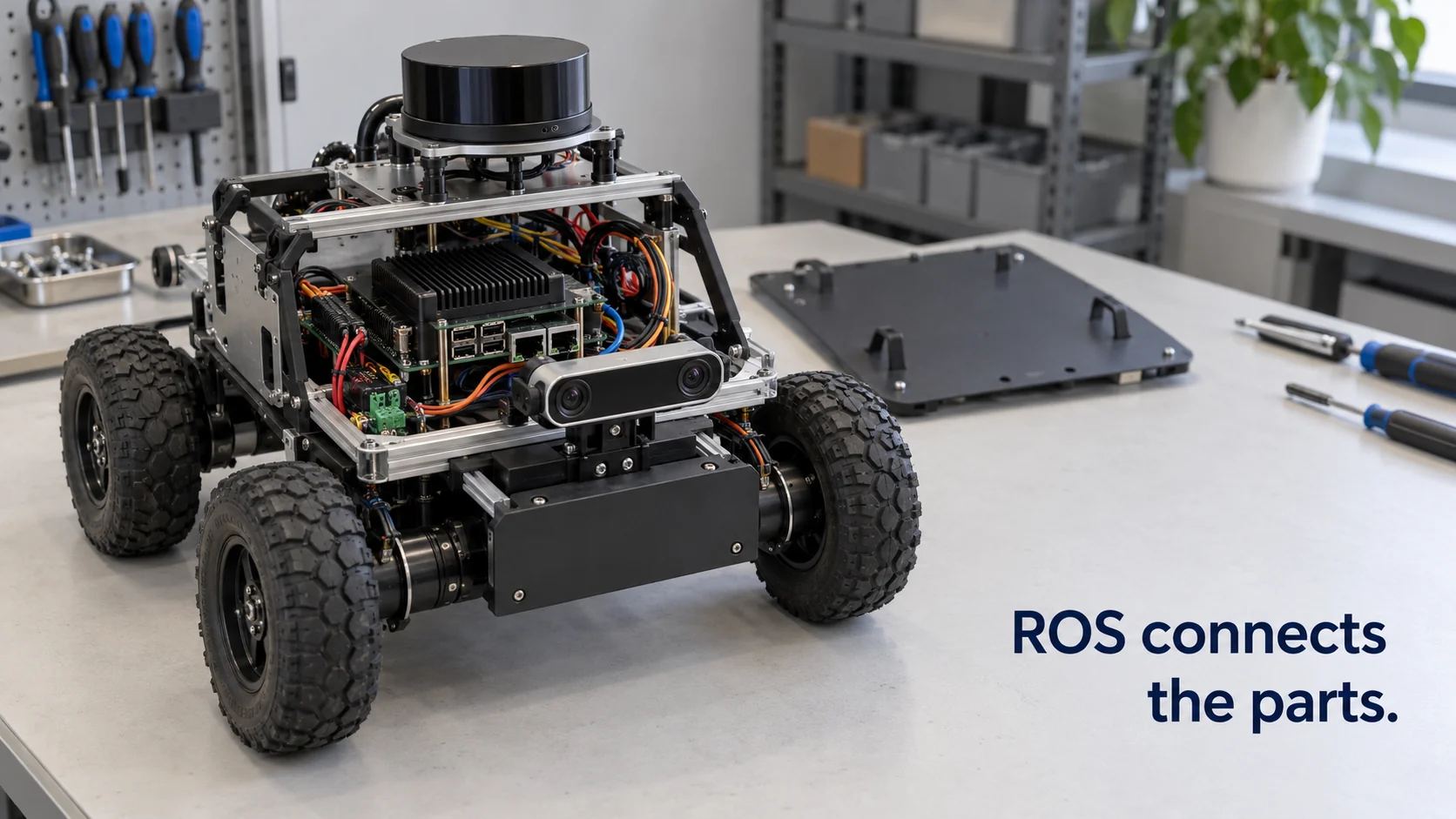
ROS, short for Robot Operating System, is a free, open-source collection of software libraries and tools for building robot software. Despite the name, it isn't an operating system like Windows or Linux. It runs on top of one, mostly Ubuntu Linux, and gives the many programs inside a robot a common way to exchange data, share drivers and reuse each other's work.
The name causes a lot of confusion, so it helps to be precise about what ROS covers. It's very good at organizing everything inside one robot: the laser scanner, the wheels, the map, the planner. It has much less to say about the building the robot works in, with its doors, lifts, sensors and the people who need to know when something goes wrong. Where one ends and the other begins is a practical question for anyone deploying robots outside a lab.
In short
- ROS is middleware: a messaging system, a set of conventions and a large library of reusable packages that run on a normal operating system.
- Inside a robot, small programs called nodes publish and subscribe to named data streams called topics, so a lidar driver and a navigation planner can be written by different people and still work together.
- ROS 2 is the current generation; ROS 1 reached end of life in May 2025, so new projects start on a ROS 2 long-term support release.
- ROS coordinates the parts of a robot. Connecting that robot to a site's doors, sensors and alarms takes a separate layer above it.
What is a robot operating system?
A robot is a pile of hardware made by different companies: a laser scanner from one supplier, motor drivers from another, cameras, bump sensors, a battery management board. Each part comes with its own interface. Before ROS, every lab and every company wrote its own glue code to make these parts talk, and very little of it could be reused on the next robot.
A robot operating system solves that by sitting between the hardware drivers and the robot's behavior. It gives programs a standard way to send each other data, so the code that reads the laser doesn't need to know who uses its output. It defines standard message formats for common data, such as a laser scan, a camera image or a velocity command. And it comes with tools for recording data, visualizing what the robot sees and simulating it before it touches real hardware.
The "operating system" label is a metaphor. In the same way that an operating system lets applications ignore which disk or network card the computer has, ROS lets robot software ignore which brand of scanner is bolted on, as long as a driver publishes the standard message.
ROS began in 2007, with early work at Stanford and development at the robotics company Willow Garage. It is now stewarded by Open Robotics and the Open Source Robotics Foundation, with a large community of companies and universities contributing packages. Two of the best-known packages are Nav2, the navigation stack for mobile robots, and MoveIt, which plans motion for robot arms.
How does a robot operating system work?
The easiest way to see it is to follow one robot. Take a delivery robot that carries supplies along a hospital corridor.
- A driver node reads the laser scanner and publishes each scan to a topic named
/scan, roughly ten to forty times a second depending on the sensor. - A localization node subscribes to
/scanand to the wheel odometry, compares them with a stored map and publishes where the robot thinks it is. - The navigation stack takes a goal, such as "go to ward 3", plans a path around the obstacles in the latest scan and publishes velocity commands to a topic named
/cmd_vel. - A motor controller node subscribes to
/cmd_veland turns those commands into wheel speeds.
None of these nodes calls another directly. They only agree on topic names and message types, so you can swap the laser scanner for another model by replacing one driver node.
Topics suit continuous streams. ROS has two other patterns for different jobs. A service is a quick request and response, such as "save the current map". An action is a long-running goal with progress feedback and the option to cancel, which is how "drive to ward 3" is usually sent. Parameters configure nodes, and launch files start a whole set of nodes with one command.
One more piece does a lot of quiet work: tf2, the transform library. Every sensor is mounted somewhere on the robot, and every map has its own origin. tf2 keeps track of how all these coordinate frames relate over time, so when the camera sees an obstacle 1.2 meters ahead and 30 centimeters to the left, the planner can turn that into a position on the map without each node doing its own geometry.
Around this core sit the tools people use every day: RViz to see the robot's sensor data and plans in 3D, rosbag to record and replay topics, and the Gazebo simulator to test a robot in a virtual world.
In ROS 2, the messaging layer runs on DDS (Data Distribution Service), an industrial publish/subscribe standard. Nodes discover each other on the network without the central master process that ROS 1 needed, and each topic can carry quality-of-service settings, for example whether lost messages should be resent.
Robot operating system choice: ROS 1 vs ROS 2
Most teams starting today already know they'll use ROS. What they still have to pick is the generation and release, and whether some parts of the robot should run something else.
| ROS 1 | ROS 2 | |
|---|---|---|
| Status | Final release Noetic, end of life May 2025 | Actively developed, new release each May |
| Messaging | Custom protocol with a central master | DDS, no single point of failure |
| Long-term support | None going forward | LTS releases supported for five years, e.g. Jazzy Jalisco to 2029 |
| Security | No built-in transport security | SROS2 adds encryption and access control |
| Fits | Maintaining existing robots | New projects and products |
A few questions shape the choice in practice:
- Drivers. Does your sensor or arm vendor ship a ROS 2 driver? A missing driver can cost more time than everything else combined.
- Release cadence. A new ROS 2 release comes out every May. Releases in even-numbered years get five years of support, the ones in between about a year and a half, so products usually pin an LTS release and plan the move to the next one.
- Small hardware. micro-ROS brings ROS 2 concepts to microcontrollers, so a sensor board can join the robot's topics directly.
- Industrial arms. Many industrial arms are programmed through the manufacturer's own controller and language. ROS often sits beside that controller rather than replacing it, a route the ROS-Industrial consortium has worked on for years.
Plan the networking early as well. DDS discovers nodes automatically, which is convenient on a test bench and noisy on a shared corporate network with many robots. Teams usually separate robots with DDS domain IDs, restrict discovery to known hosts and turn on SROS2 before a robot leaves the lab.
Some companies build on ROS 2 with their own stacks on top, such as NVIDIA's Isaac ROS packages for GPU-accelerated perception. Others keep a proprietary robot software stack and expose only an interface to the outside. Both routes are common, and the second matters when the robot has to work with everything else on a site.
How do you connect a robot operating system to IoT devices?
ROS was built for the inside of a robot, or a fleet on one network. A building or plant has a second set of devices the robot can't sense: a door contact on the far side of the warehouse, a leak sensor in a plant room, the status of a fire door, an air-quality reading in a ward. Those usually speak LoRaWAN, MQTT, Modbus or BACnet, not ROS topics.
There are well-known bridges. rosbridge exposes ROS topics as JSON over WebSockets, community packages relay chosen topics to and from MQTT brokers, and Open-RMF, the Open Robotics Middleware Framework, coordinates multiple robot fleets with shared infrastructure such as doors and lifts. These solve the transport. Deciding which sensor event should send which robot where, and testing that logic before it runs on a real site, is a separate job.
It helps to decide early what crosses that boundary. Raw topics such as laser scans and camera frames are far too chatty and too detailed for site systems. What the rest of the site needs is a small, stable set of facts and requests: the robot's position on the site map, its battery level, its current mission state, and a handful of tasks it accepts, such as going to a named place, docking or pausing. Keeping that interface small means the robot team can change everything inside ROS without breaking the site logic.
That decision layer is what an operating system for physical AI adds above ROS, and it's the layer we build Kilo to be. If the robot's integration exposes a few commands over MQTT, for example "go to waypoint" or "return to dock", you can save them in Kilo and have a rule send one when a sensor elsewhere on the site reports an event, while ROS keeps handling navigation on board. Every command you send this way shows up in its history as Pending, Delivered, Confirmed, Soft warning or Failed.
Because those commands move a real machine, you rehearse the rule first: step through it in Kilo's debugger and mock the robot's response, so you can see each path play out before anything is deployed.
Robot operating system FAQ
Is ROS free to use as a robot operating system?
Yes. ROS is open source under permissive licenses that allow commercial use without license fees. The costs that remain are engineering time, hardware and any commercial support contract a company chooses to buy from one of the firms that offer ROS consulting.
What programming language does a robot operating system like ROS use?
The two official client libraries are C++ (rclcpp) and Python (rclpy), and a single robot often mixes both. Community libraries exist for Rust, Java and other languages, and message types are defined in simple interface files that generate code for each language.
Can you run a robot operating system like ROS on Windows?
ROS 2 lists Windows among its supported platforms next to Ubuntu Linux, and each release publishes its exact platform tiers in a document called REP 2000. Most tutorials, drivers and production robots still use Ubuntu, so Linux remains the smoother path.
Is ROS 2 a real-time robot operating system?
Not by itself. ROS 2 was designed so it can be used in real-time systems, but that also needs a real-time kernel such as Linux with the PREEMPT_RT patch, careful memory and thread configuration, and hardware that keeps its timing. The ros2_control framework is the usual way to run tight control loops for arms and wheels inside ROS 2.
A ROS 2 robot you already run makes a compact first look at the site side. Use one of the community bridges to publish three of its topics to MQTT, such as battery level, mission state and position, register the robot as one device in Kilo, and chart the three values on a dashboard. Then add a rule that alerts you when the battery drops below 20% while a mission is still running. That's a single device and a single rule, well inside the free plan, and nothing on the robot changes apart from the bridge.