
 English
 Français
 Español
 Deutsch
 Português
 Italiano
 العربية
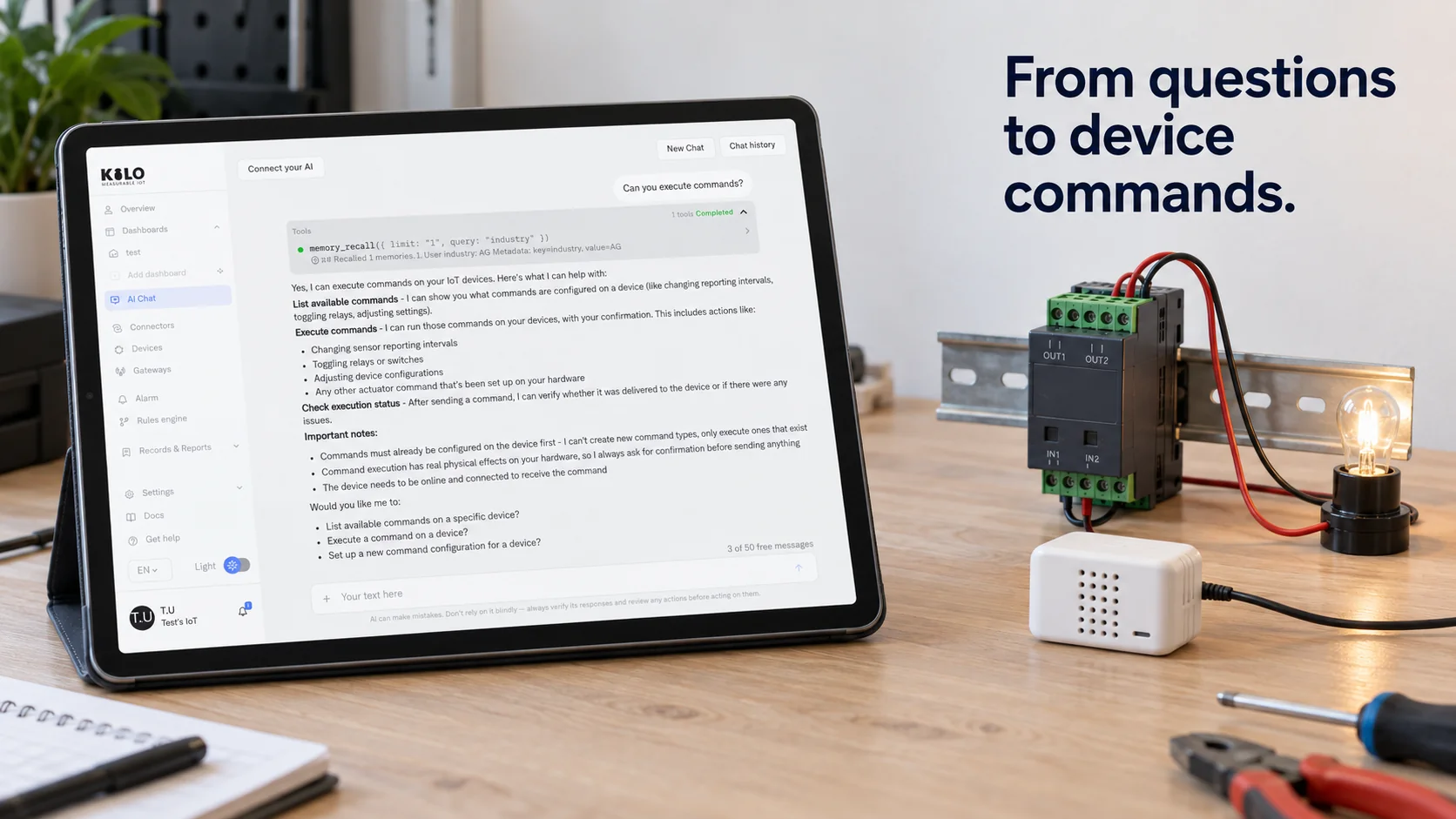
If you want Claude, ChatGPT or your own agent to check a sensor or switch a relay, it needs a way to find out which devices exist, what they report and what they're allowed to do. An MCP server for IoT devices is that way in. It exposes your sensors and controllers through tools the agent can call, it runs those calls against the real system, and it enforces who may do what.
The protocol itself is simple. Devices are what make the design work different, because they behave unlike documents and databases: some sleep for minutes at a time, readings go stale, and a wrong call can open a valve. This guide walks through how the pieces fit, how discovery works when every device has different commands, and what to decide before you build or connect a server.
In short
- The Model Context Protocol gives AI clients one standard way to discover and call tools, so a single server can serve Claude, ChatGPT, Cursor and others.
- For devices, discovery usually happens in two layers: the agent first lists devices, then asks which readings and commands a specific device has.
- Building your own server mostly means wrapping an existing device API with clear tool names, input limits and server-side permission checks.
- Start read-only, add a small set of predefined commands later, and keep a person confirming anything that changes physical state.
How is the Model Context Protocol used with IoT devices?
The Model Context Protocol, usually shortened to MCP, is an open standard for connecting AI applications to outside tools and data. The AI application (the client) talks to an MCP server, which offers three kinds of things: tools the model can call, resources it can read as context, and prompts a person can pick from a menu. In an office setting those might be "search tickets" or "read a spreadsheet." In IoT they map onto the physical site.
| MCP concept | What it usually means for devices |
|---|---|
| Tool | An action: read the latest value, fetch history, send a predefined command |
| Resource | Context the client can load: a device list, a room map, a week of readings |
| Prompt | A reusable request, such as "summarize overnight alarms for building B" |
| Server | The adapter that holds credentials and talks to the device platform |
| Client | Claude, ChatGPT, Cursor or an agent you wrote, deciding which tool to call |
Three things make IoT different from the usual examples. Data ages: a temperature from 40 minutes ago may be useless, so every reading the server returns should carry its timestamp. Devices aren't always reachable: many battery sensors transmit only every few minutes and listen only briefly afterward. And actions have consequences beyond the screen, since a wrong command can leave a pump running or a valve open. Each of those shapes how the server should be designed.
Take a simple question like "is the server room too warm?" If the sensor reports every 15 minutes and the last message arrived 50 minutes ago, the honest answer is "I don't know; the sensor has gone quiet." A server that returns only the number, without the time it was measured, invites the model to answer confidently with old data. Returning the value, the unit, the timestamp and the device's last-seen time lets the model say what it knows and what it doesn't.
How does tool discovery for AI agents work?
Tool discovery for AI agents is the step where the client asks a server what it can do. Under MCP the client sends a tools/list request, and the server answers with every tool's name, a description in plain language and a JSON schema for its inputs. The client puts those descriptions in front of the model, and the model picks a tool by reading them, the way a new colleague would read labels on a control panel.
A device-reading tool might be described like this:
{"name": "get_latest_reading",
 "description": "Latest value of one metric on one device, with its timestamp and unit.",
 "inputSchema": {"type": "object",
   "properties": {"device_id": {"type": "string"}, "metric": {"type": "string"}},
   "required": ["device_id", "metric"]}}
That works well for generic actions. Commands are harder, because a dimmer accepts a brightness from 0 to 100, a valve controller accepts open or close, and a thermostat accepts a setpoint within limits. If you turned every command of every device into its own tool, a site with 300 devices could publish thousands of tools, and the model would drown in them.
The usual answer is two-step discovery. The server exposes a small, stable set of ai agent tools such as list_devices, list_commands and run_command. The agent calls list_devices to find the dimmer in meeting room 3, then list_commands for that one device, which returns its defined commands with their parameters and limits. Only then does it call run_command with a brightness of 40. The protocol also lets a server notify clients when its tool list changes, which helps when devices are added during a session.
The schema earns its keep in cases like this one. Suppose the agent is asked to "make room 3 a bit dimmer" and the light is at 70. Without limits it might send 7, misreading "a bit." With a schema that says brightness is an integer from 10 to 100, and a command description that says "typical steps are 10," it's far more likely to send 60. The server should still reject anything outside the range, because the model is interpreting a description and can still get it wrong.
How to build an MCP server
To build an MCP server for devices, you don't start from radio protocols. You start from whatever already holds the device data, usually an IoT platform or a gateway with an API, and you wrap it. A practical order of work:
- Decide the scope. Pick the questions and actions the agent actually needs. "Read any sensor, fetch 30 days of history, run the five commands we've defined" is a better first scope than "everything the API can do."
- Choose an SDK. The official software development kits handle the protocol messages, so your code only defines tools and their handlers.
- Wrap the platform API. Each tool handler calls the existing API with the server's credentials and turns the response into short, readable results with units and timestamps.
- Write descriptions for a reader with no context. Say what the tool returns, what units it uses and when not to use it. This is where most of the quality comes from.
- Enforce permissions on the server. Check every call against the user's rights and the command's parameter limits, whatever the model asked for.
- Test with an inspector before any client. The official MCP Inspector lets you call each tool by hand and read the raw responses.
- Pick a transport. A local server for one developer can run as a process on that machine; a shared server needs remote hosting and per-user authorization.
When the devices already live in Kilo, the wrapping layer is thin. You'd build your handlers on Kilo's REST and gRPC APIs for developers, using an API key scoped per area and bound to one organization, and a key limited to read scopes is a sensible first credential for a home-built server.
Before building anything, check whether the platform already speaks the protocol. Kilo exposes its own MCP endpoint, and it marks the command tool as destructive so that clients can ask you for confirmation before a command goes out.
How to connect Claude to IoT devices with MCP
Connecting a client to an existing server takes a few minutes, and the steps look roughly the same across clients:
- Add the server in the client's settings. For a remote server you paste its URL; in Claude it goes in as a custom connector. A local server is usually listed in a configuration file with the command that starts it.
- Sign in when the client opens the authorization page. A remote server should ask who you are, so its tools act with your rights and nobody else's.
- Check which tools appeared. Most clients show the list and let you turn individual tools off, which is an easy way to start with reading only.
- Ask a question you can verify yourself, such as the current temperature in a room where you can read a thermometer, and compare the answer.
- Turn on actions last, and keep the client's per-call approval switched on for anything that sends a command.
ChatGPT, Cursor, Codex and other clients follow the same idea with their own settings screens. Because the server side is identical for all of them, a team can use different clients without building separate integrations, and access is revoked in one place.
It also helps to write down three or four test questions before rolling a server out to a team, each with a known right answer: a room temperature you can check, a device you know is offline, a command that should be refused because the value is out of range. Run them after every change to the server's tool descriptions, since a reworded description can change which tool the model picks.
Two habits make day-to-day use smoother. Name devices the way people talk about them ("cold room 2 door," not "node-4471"), because the model matches requests against those names. And keep the agent's role clear: let it look things up, compare readings and explain what it found, while anything that must happen every time, without anyone asking, belongs in a rule on the platform, where it runs whether or not anyone opens a chat.
MCP server for IoT devices FAQ
Can an MCP server talk to MQTT IoT devices?
Yes, though usually not by sitting on the broker itself. MQTT is publish and subscribe, so a server would have to subscribe to topics and cache the latest values to answer a "what is the reading now" question. Pointing the MCP server at a platform that already stores MQTT data is simpler, and it gives the agent history as well as the current value.
What language is used to build an MCP server?
Any language that can read and write JSON will do, because the messages follow JSON-RPC 2.0. Official SDKs exist for several languages, including TypeScript, Python, Java, C# and Go, which is why most device servers are written in the same language as the team's existing backend.
Which apps and clients support the Model Context Protocol?
Support has spread quickly since Anthropic published the standard in November 2024. Claude Desktop, Claude Code, ChatGPT, Cursor, Codex and Visual Studio Code with GitHub Copilot are among the clients that can connect to MCP servers, though each one exposes different settings for local and remote servers.
Can an MCP server control LoRaWAN IoT devices?
Yes, if the device accepts commands, though not always instantly. Most battery LoRaWAN sensors run as Class A devices, which open their short receive windows only right after sending an uplink, so a message to them waits for the next transmission. Mains-powered Class C devices listen continuously and can receive a command almost straight away. In Kilo, device commands go to MQTT devices and Class C LoRaWAN controllers, so a battery Class A sensor is something you read rather than control.
The whole chain fits on a desk. Register a temperature sensor and one controllable smart plug on Kilo's free plan, connect Claude through the MCP endpoint with only the reading tools turned on, and ask about the room until the answers match the thermometer on the wall. Then define the plug's on and off commands and switch the command tool on, with Claude's per-call approval still active.