
 English
  Français
  Español
  Deutsch
  Português
  Italiano
  العربية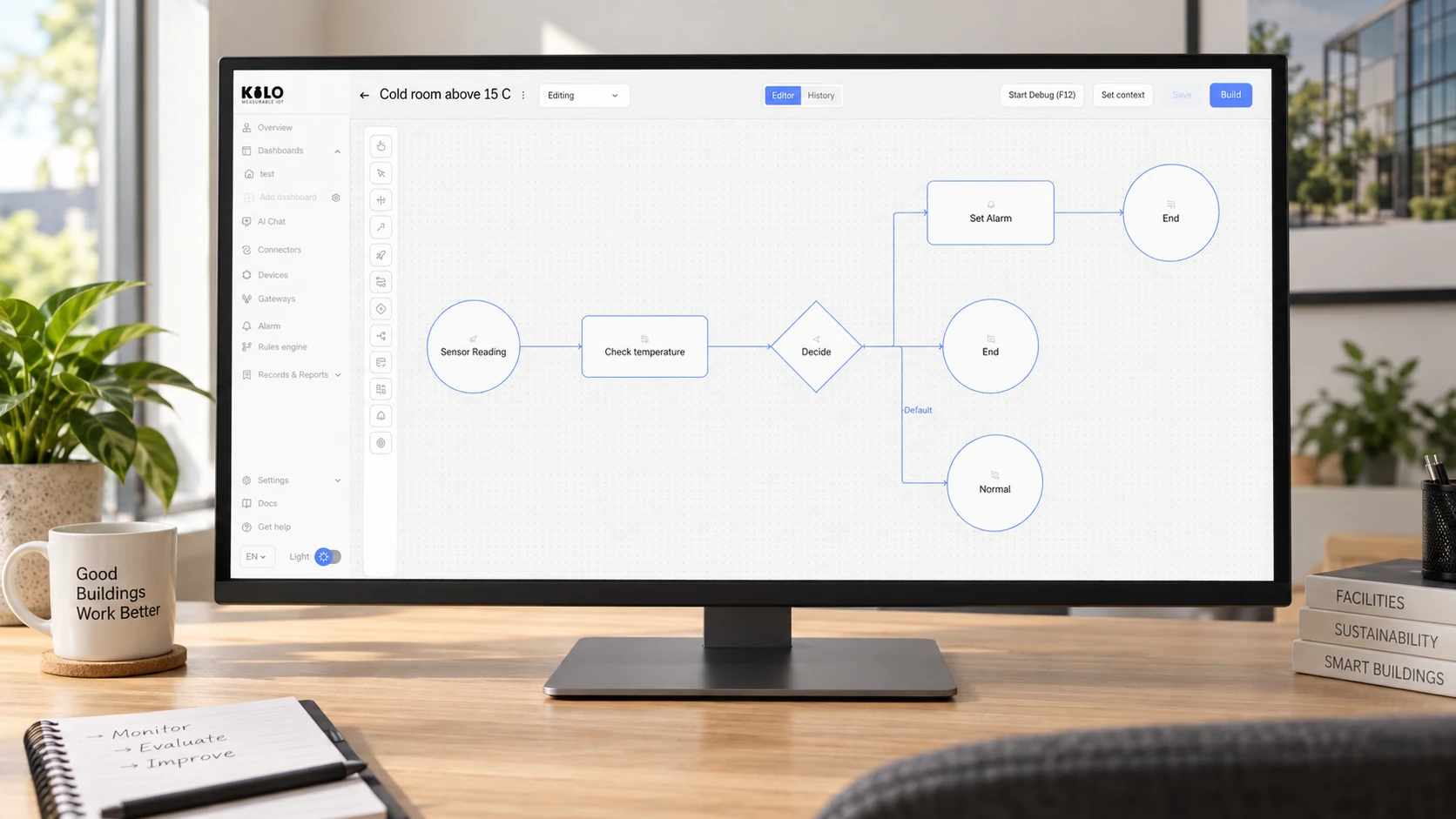
A low-code IoT platform should reduce the software you need to build around connected devices. It can give you a visual place to configure devices, inspect readings and assemble automation. But a dashboard that takes minutes to arrange tells you little about the work required to connect an unfamiliar sensor, test a rule or hand a deployment to another operator.
The useful buying question is specific: which parts of our deployment can we configure, and which parts still require expressions, integration code or specialist knowledge?
This guide explains how to evaluate that boundary, using the documented Kilo Rules Engine as a concrete example. It is written by Kilo; it is not an independent vendor ranking or a report of a customer trial.
Low-code or no-code IoT platform: what can you configure?
Consider three jobs: arranging a dashboard, deciding whether a temperature warrants an alarm, and integrating a device with a proprietary payload. A platform may offer visual controls for the first job, a short expression for the second and an adapter or decoder for the third.
Calling the whole project “no-code” hides those differences. A better evaluation lists the tasks your team actually needs and records the setup method for each one. Include the ordinary changes that come after the first demonstration: adding another device type, changing an alarm recipient, investigating missing data and restoring a previous automation version.
Ask the vendor to demonstrate your difficult task as well as its polished starting template. If a colleague will operate the system after the integrator leaves, that colleague should try the same task.
How Kilo’s low-code IoT platform handles automation
The Kilo IoT rules engine uses a visual BPMN canvas. A rule begins with a Start Event and connects nodes that evaluate conditions, transform values, fetch other sensor readings, raise alarms or dispatch configured device commands.
Most day-to-day rules combine nodes and forms. More precise logic uses CEL, the Common Expression Language. CEL appears in gateway conditions, computations, dynamic messages and mappings. It evaluates the data supplied to it; it cannot open files, make network calls or run loops.
That is a useful low-code boundary: the workflow stays visible, while an expression can describe the exact decision. It also means you should budget for someone who understands the expressions your deployment needs. AI assistance can help draft a rule, but the operator still needs to review its assumptions and test its behavior.
The Rules Engine documentation explains the available nodes and the role of CEL. Evaluate the documented behavior rather than assuming every visual box removes every technical decision.
Test IoT automation beyond the first successful reading
A credible evaluation should continue after the happy-path demonstration. Choose a harmless monitoring example and prepare input cases with the expected outcome written down before the test.
For a threshold rule, include a value below the threshold, one exactly on it and one above it. Add the recovery case. If the rule needs another sensor reading, test what happens when that input is missing or unsuitable. If it starts from a saved trigger, check the trigger's actual input context instead of assuming it is identical to a raw sensor event.
Kilo's debugger supports stepping through nodes, breakpoints, variable inspection and watch expressions. Those tools let an operator inspect why the decision changed. A diagram alone does not establish that the rule behaves correctly.
There is an important practical detail: debugging can reach actions with real side effects. Kilo offers Execute, Skip and Mock. Execute invokes the real handler; it can raise an alarm, notify its recipients or send a command. Execute is initially selected, and the choice is reused for that node later in the same session. Choose Skip or Mock deliberately when testing logic without real delivery. Use real execution only in a controlled test whose recipients and equipment are prepared for it.
Look for a release process your team can understand
Visual editing should not mean that every canvas change immediately changes live behavior. In Kilo, edits remain drafts until a rule is built and deployed. The build checks structure, expressions and complete paths, producing an artifact that can be deployed deliberately.
During an evaluation, ask the person responsible for operations to identify the deployed build, explain what changed and find the relevant history. Then inspect the procedure for stopping a rule and restoring an earlier version.
Restoring software is different from reversing a physical action. A rule version can be restored; water already released by a valve cannot be recalled by restoring that version. If your workflow controls equipment, include the device's feedback, operating limits and recovery procedure in the design.
Use a task-based scorecard for your IoT platform comparison
Record evidence for each task rather than awarding a platform a single “easy to use” score.
| Evaluation task | Evidence to capture |
|---|---|
| Connect the required device | Supported connection, payload mapping, units and a real reading |
| Explain a rule | The visual path and any expressions an operator must understand |
| Test an abnormal input | Expected outcome, observed branch and any error handling |
| Prevent unintended test actions | The selected side-effect mode and prepared test recipients |
| Release a change | Built artifact, deployment action and current running version |
| Investigate an action | Corresponding execution history and device feedback where supported |
| Hand over operations | A second authorized user repeats the maintenance task |
Keep time measurements if you run the evaluation, but do not substitute vendor estimates for your own results. The fastest first dashboard may not produce the easiest system to maintain.
Start with one complete workflow
For an initial Kilo evaluation, choose one supported sensor and one monitoring outcome. Follow its reading into a visual rule, inspect the decision with test inputs and deploy only after checking the result. Add physical control separately, once the command definition and verification behavior are understood.
That small exercise answers more than a long feature checklist: it shows what your team can configure, what needs an expression and where outside integration work remains. Explore the Kilo IoT platform and use the documentation to plan a workflow your own operators can explain and maintain.
Prepared with AI assistance and checked against the Kilo documentation cited in the accompanying source record. The evaluation steps are recommendations; no customer trial or measured performance result is claimed.